Como ler o painel de controle de Market Making
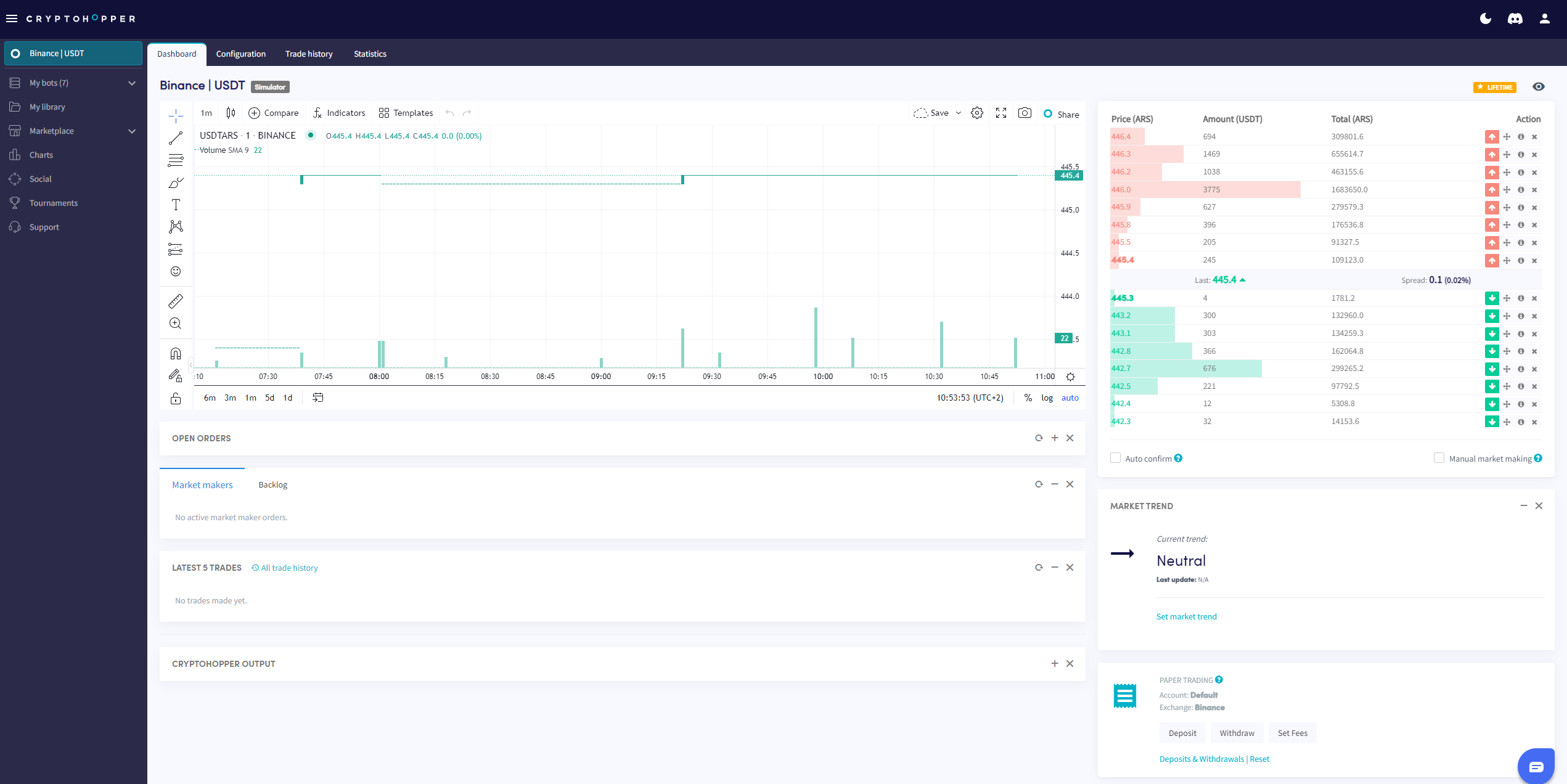
Este guia mostra onde encontrar o painel de controle de Market Making e o que cada seção contém.
Pré-requisitos
- Uma conta Cryptohopper.
- Um bot Market Maker.
- Uma assinatura Hero.
Etapas
- Acesse seu bot Market Maker e clique em "Painel de controle".
- Revise o Gráfico para uma visão geral do desempenho do seu bot.
- Verifique suas Ordens abertas.
- Revise o Backlog.
- Verifique seu Saldo inicial.
- Monitore a Saída para erros e atividade do bot.
informação
Para um detalhamento completo de tudo no painel de controle de Market Making, consulte O que está no painel de controle do bot Market Making.