Cómo leer el Panel de control de Creación de mercados
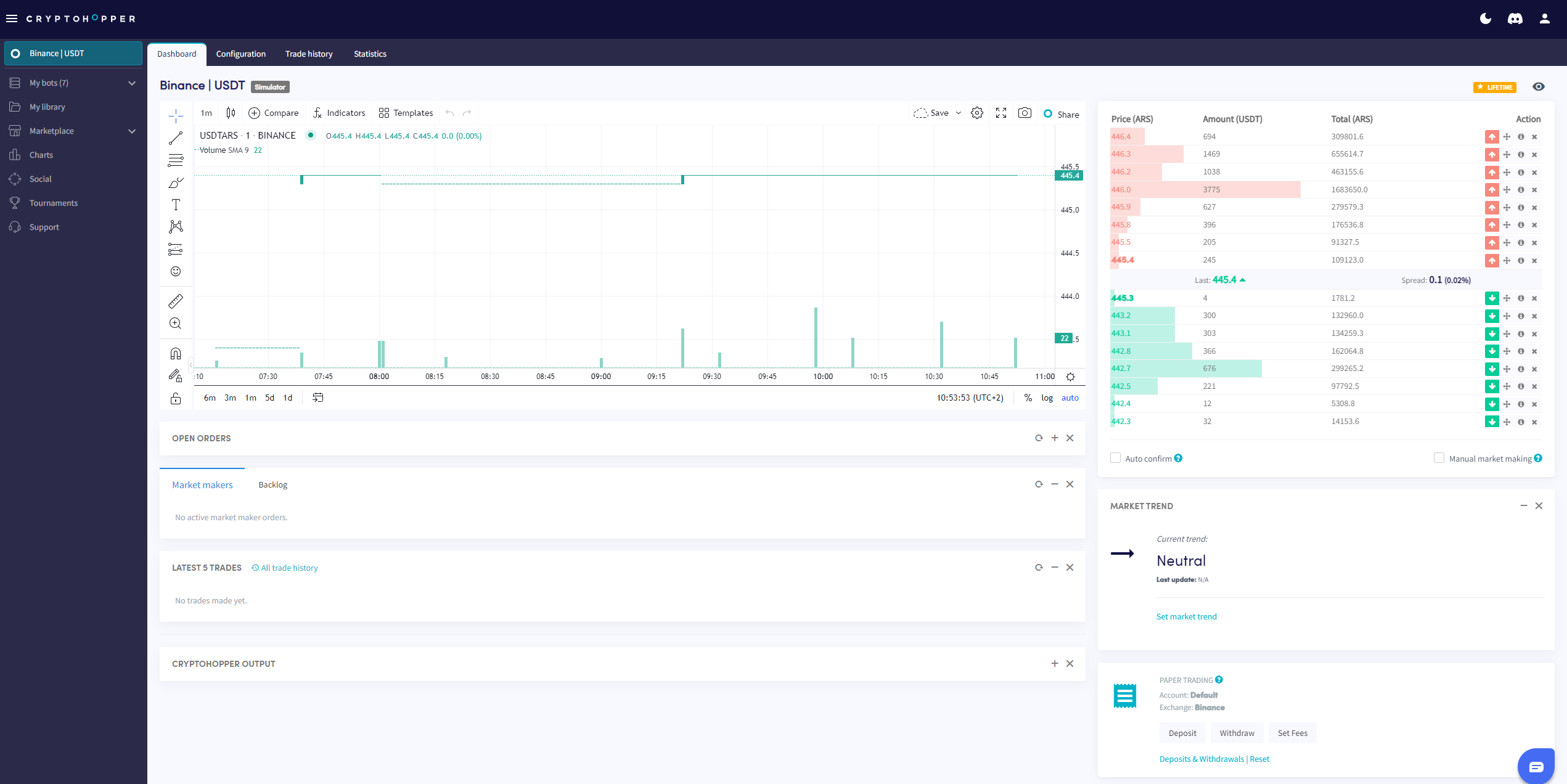
Esta guía te muestra dónde encontrar el Panel de control de Creación de mercados y qué contiene cada sección.
Prerrequisitos
- Una cuenta de Cryptohopper.
- Un bot de creador de mercado.
- Una suscripción Hero.
Pasos
- Ve a tu bot de creador de mercado y haz clic en "Panel de control".
- Revisa el Gráfico para obtener una visión general del rendimiento de tu bot.
- Consulta tus Órdenes abiertas.
- Revisa el Backlog.
- Consulta tu Saldo inicial.
- Monitorea la Salida para detectar errores y actividad del bot.
información
Para un desglose completo de todo lo que hay en el Panel de Control de Creación de Mercados, consulta Qué hay en el Panel de Control para el Bot de Creación de Mercados.