Jak czytać pulpit nawigacyjny animowania rynku
Ten przewodnik pokazuje, gdzie znaleźć pulpit nawigacyjny animowania rynku i co zawiera każda sekcja.
Wymagania wstępne
Kroki
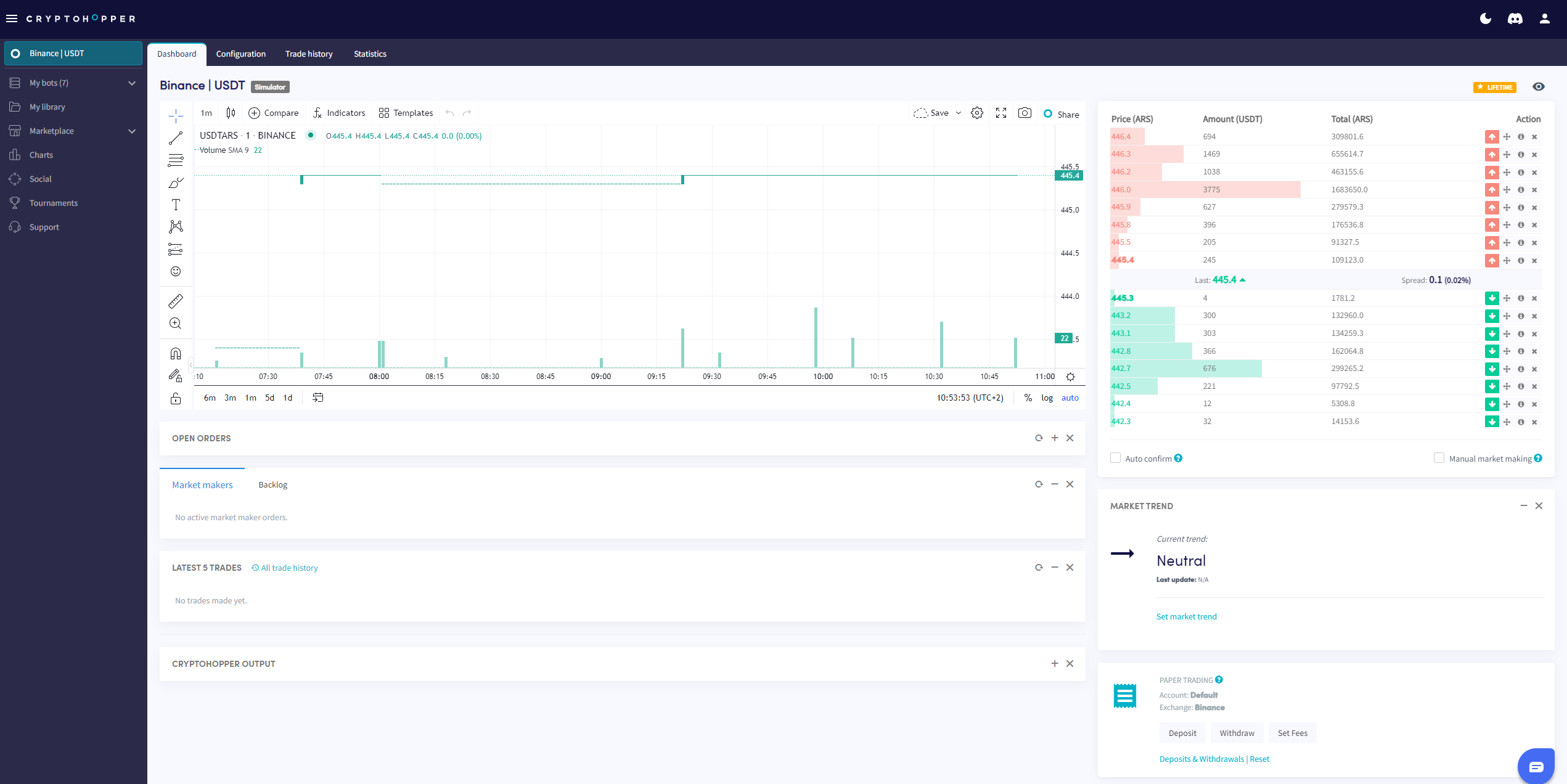
- Przejdź do swojego bota animatora rynku i kliknij "Pulpit nawigacyjny".
- Sprawdź wykres, aby zobaczyć przegląd wydajności twojego bota.
- Sprawdź swoje Otwarte zlecenia.
- Sprawdź Zaległości.
- Sprawdź swoje Saldo początkowe.
- Monitoruj Dane wyjściowe, aby wykryć błędy i aktywność bota.
info
Aby uzyskać pełny opis wszystkiego, co znajduje się na pulpicie nawigacyjnym animowania rynku, zobacz Co znajduje się na pulpicie nawigacyjnym bota animatora rynku.