Wie liest man das Market-Making-Dashboard
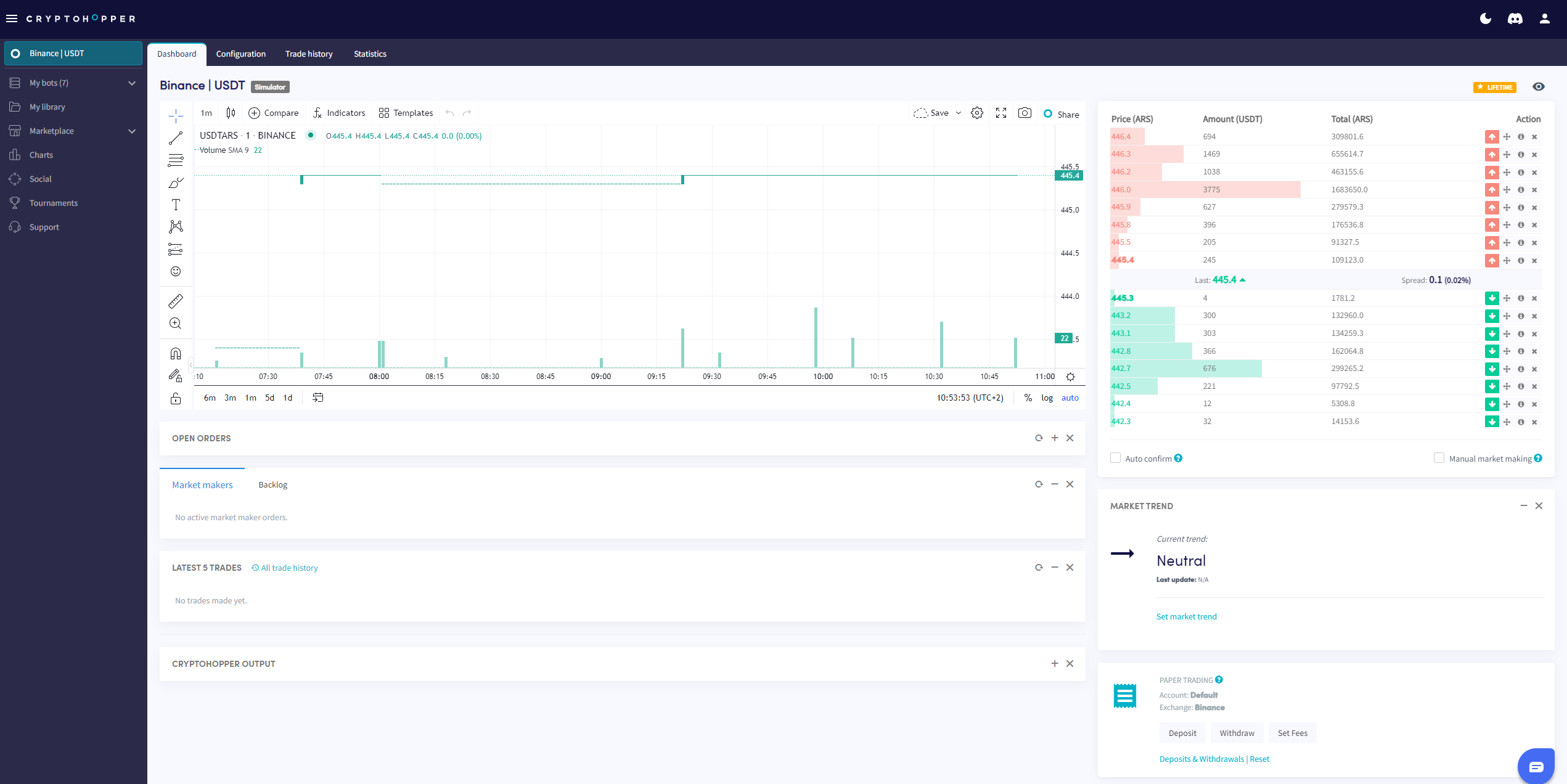
Dieser Leitfaden zeigt dir, wo du das Market-Making-Dashboard findest und was jeder Abschnitt enthält.
Voraussetzungen
- Ein Cryptohopper-Konto.
- Einen Market-Maker-Bot.
- Ein Hero-Abonnement.
Schritte
- Gehe zu deinem Market-Maker-Bot und klicke auf "Dashboard".
- Überprüfe das Chart für eine Übersicht über die Performance deines Bots.
- Überprüfe deine Offenen Orders.
- Überprüfe den Backlog.
- Überprüfe dein Start-Guthaben.
- Überwache den Output auf Fehler und Bot-Aktivität.
Info
Für eine vollständige Aufschlüsselung von allem auf dem Market-Making-Dashboard, siehe Was ist auf dem Dashboard für den Market-Making-Bot.