How to read the Market Making Dashboard
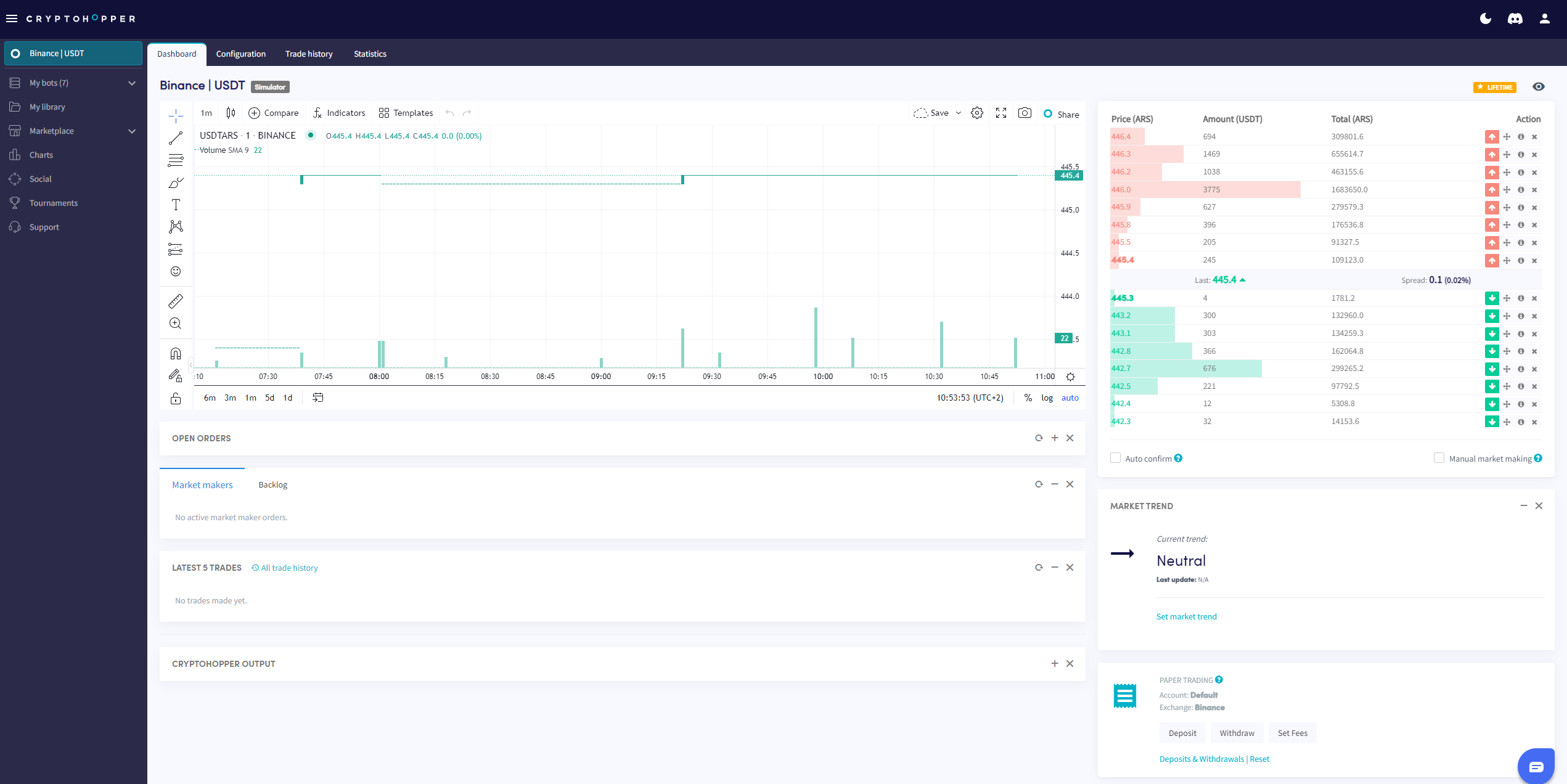
This guide shows you where to find the Market Making Dashboard and what each section contains.
Prerequisites
- A Cryptohopper account.
- A Market Maker bot.
- A Hero subscription.
Steps
- Go to your Market Maker bot and click "Dashboard".
- Review the Chart for an overview of your bot's performance.
- Check your Open orders.
- Review the Backlog.
- Check your Start Balance.
- Monitor the Output for errors and bot activity.
info
For a full breakdown of everything on the Market Making Dashboard, see What is on the Dashboard for the Market Making Bot.