Hoe je het markt maken dashboard leest
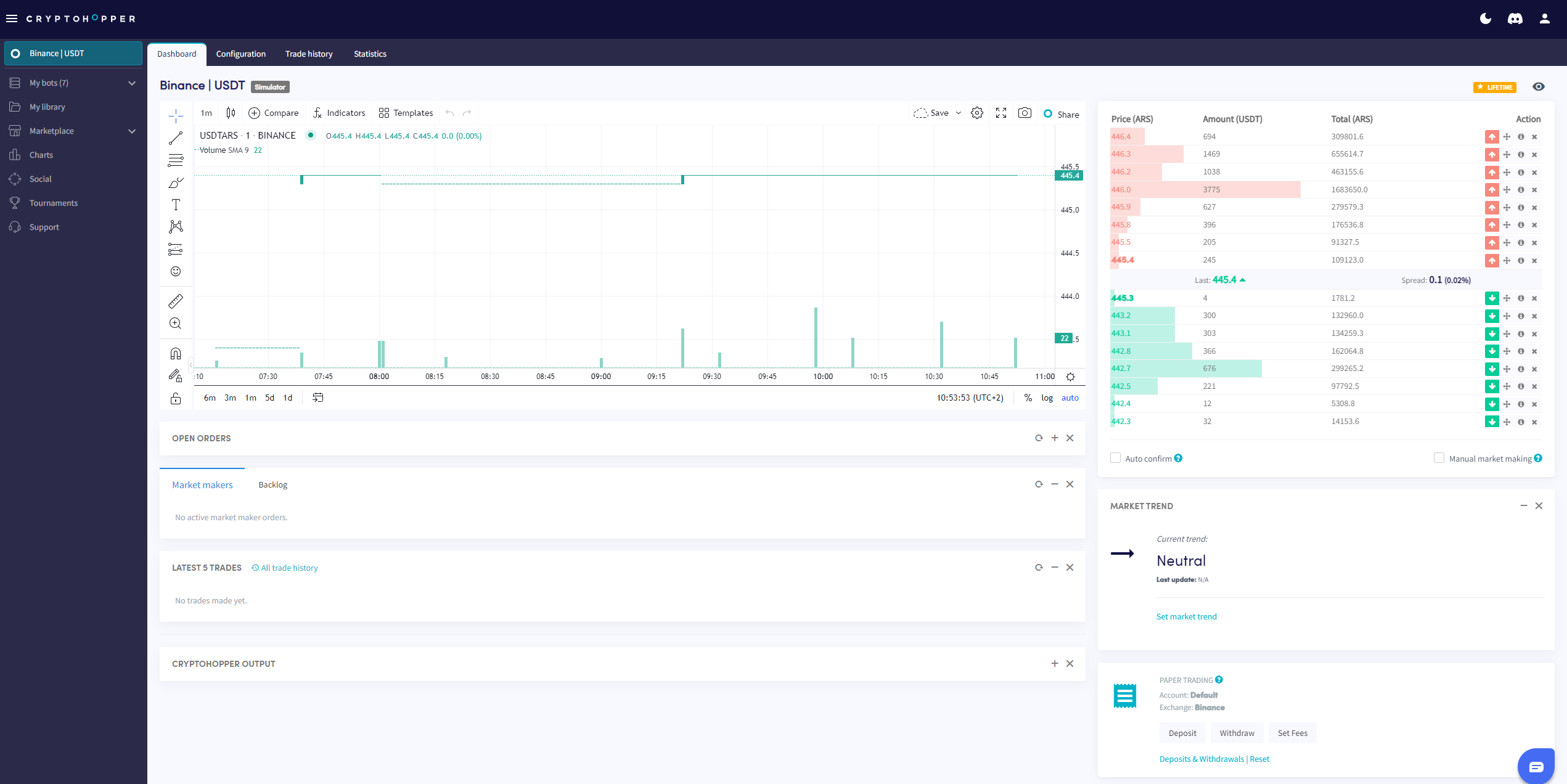
Deze gids laat je zien waar je het markt maken dashboard kunt vinden en wat elke sectie bevat.
Vereisten
- Een Cryptohopper account.
- Een markt maken bot.
- Een Hero abonnement.
Stappen
- Ga naar je markt maken bot en klik op "Dashboard".
- Bekijk de Grafiek voor een overzicht van de prestaties van je bot.
- Controleer je Open orders.
- Bekijk de Achterstand.
- Controleer je Startsaldo.
- Monitor de Output voor fouten en botactiviteit.
info
Voor een volledige uitsplitsing van alles op het markt maken dashboard, zie Wat staat er op het Dashboard voor de markt maken Bot.