Jak wybrać dostawcę sygnałów odpowiedniego dla ciebie
Ten przewodnik pokazuje, jak ocenić i wybrać dostawcę sygnałów pasującego do twojego stylu handlu.
Wymagania wstępne
- Subskrypcja Explorer, Adventurer lub Hero.
Kroki
- Przejdź do swojego konta Cryptohopper i kliknij "Rynek".
- Kliknij "Sygnały".
- Wybierz dostawcę sygnałów, którego chcesz zbadać i kliknij na niego.
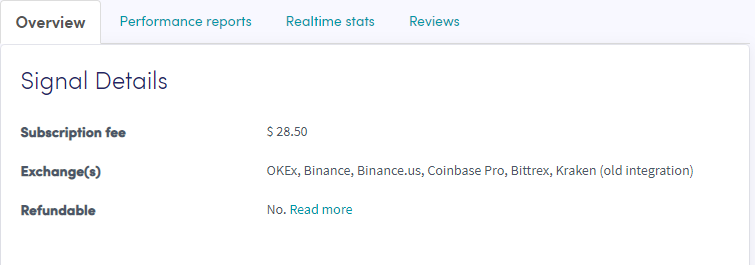
- Kliknij "Przegląd" i sprawdź używane giełdy, wykres wydajności oraz średni dzienny zysk/stratę.
- Kliknij "Raporty wydajności" i sprawdź, które waluty są sygnalizowane i jakie zyski zostały osiągnięte.
- Kliknij "Statystyki w czasie rzeczywistym" i sprawdź dane dotyczące transakcji z ostatniego miesiąca.
- Kliknij "Recenzje" i zobacz, co myślą inni traderzy.