Come creare un nuovo bot con la configurazione guidata
Questa guida ti mostra come creare un nuovo bot utilizzando la configurazione guidata.
Prerequisiti
Passaggi
- Nel menu in alto a sinistra, clicca su "I miei bot".
- Clicca su "Visualizza tutto".
- Clicca su "Configurazione guidata" nella sezione in alto a destra.
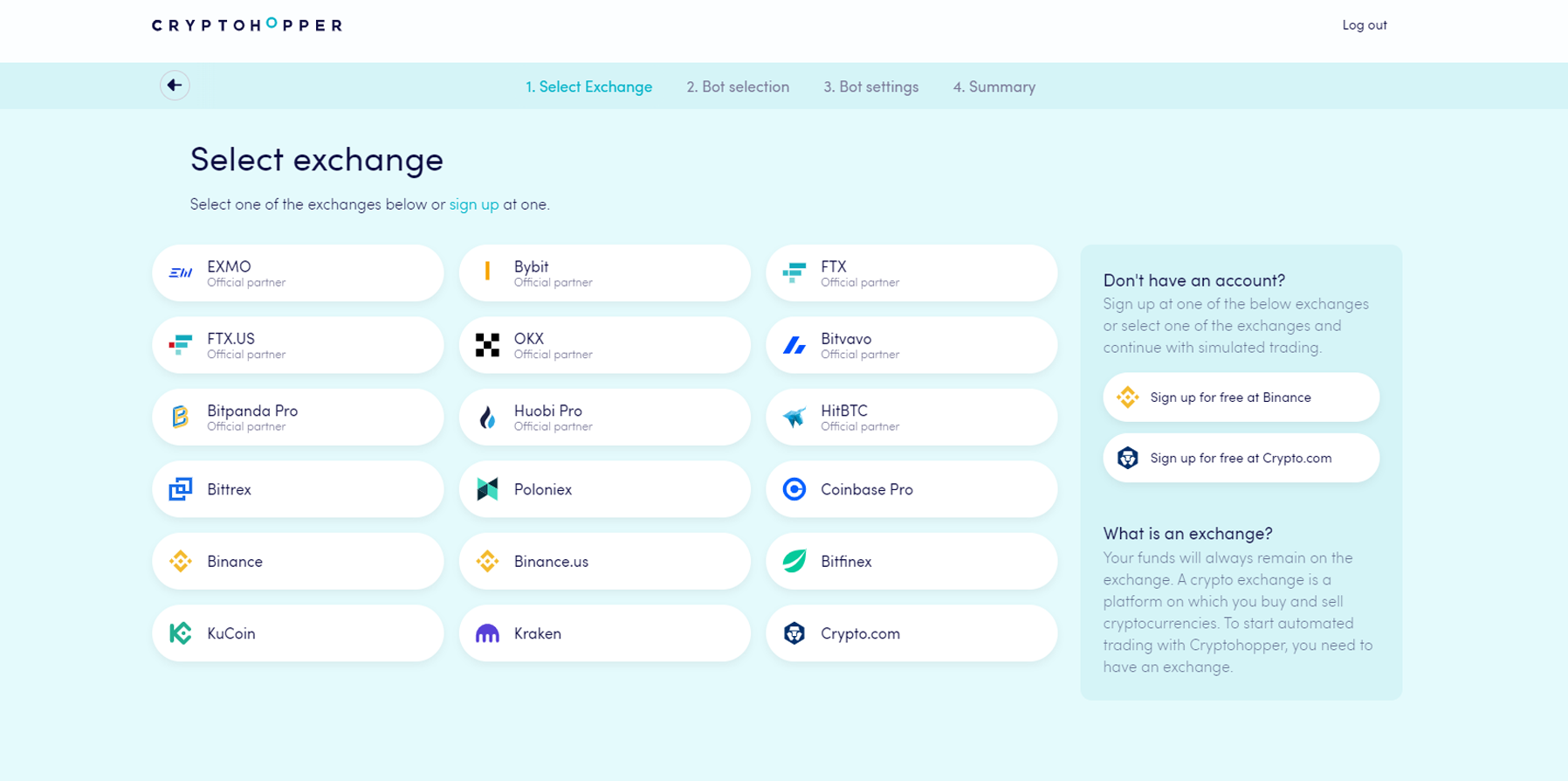
- Scegli l'exchange che vuoi utilizzare e cliccaci sopra.
- Inserisci le tue chiavi API — oppure clicca su "Fondi simulati" e seleziona la tua valuta di quotazione.
- Clicca su "Continua".
- Scegli tra "Segui segnali" e "Costruisci il tuo bot".
- Se hai scelto "Segui segnali": seleziona il signaler che vuoi seguire e clicca su "Iscriviti".
- Se hai scelto "Costruisci il tuo bot": clicca sulla strategia di rischio che vuoi utilizzare.
- Rivedi il riepilogo del tuo bot e clicca su "Inizia a fare trading".