How to set up 2FA
This guide shows you how to set up Two-Factor Authentication (2FA) on your Cryptohopper account.
Prerequisites
- A Cryptohopper account.
- A desire to add extra security to your account.
Steps
- Log in to your Cryptohopper account.
- Click the profile button in the top-right corner.
- Click "My account".
- Click "User Profile".
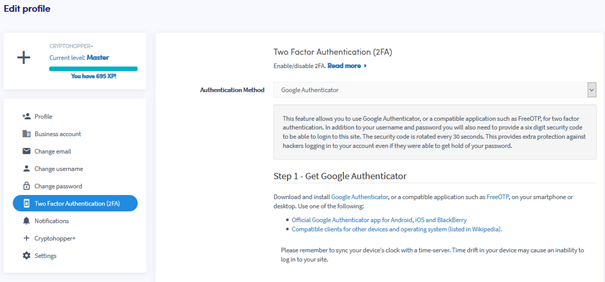
- Click "Two Factor Authentication (2FA)".
- Select your preferred authentication method.
- Follow the required steps for your chosen method.
- Click "Enable 2FA".
- Write down your security codes and store them somewhere safe.
提示
We highly recommend enabling 2FA on your Cryptohopper account.