Como ler a página de gráficos
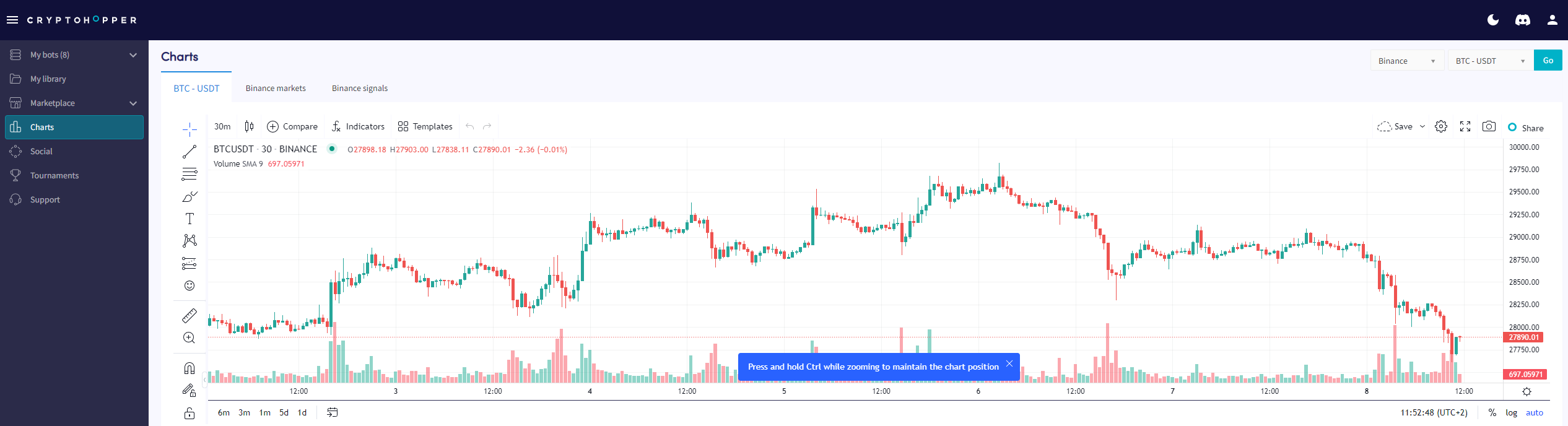
Este guia mostra onde encontrar a página de gráficos e o que você pode fazer com ela.
Pré-requisitos
- Uma conta Cryptohopper.
- Uma assinatura Pioneer, Explorer, Adventurer ou Hero.
Etapas
- Faça login na sua conta Cryptohopper.
- Clique em "Gráficos".
- Selecione sua corretora e par de moedas.
- Clique em "Ir".
- Use as ferramentas fáceis para desenhar no gráfico, ou
- Use as ferramentas complexas para desenhar no gráfico.
- Confira a "aba Mercado".
- Revise a "aba Sinais".