Hoe je abonnementen met korting koopt
Deze gids legt uit hoe je korting krijgt op botabonnementen wanneer je ze in bulk aanschaft.
Vereisten
- Een Cryptohopper-account.
- Minimaal drie abonnementen die al actief zijn.
- Voldoende Cryptohopper-credits beschikbaar.
Stappen
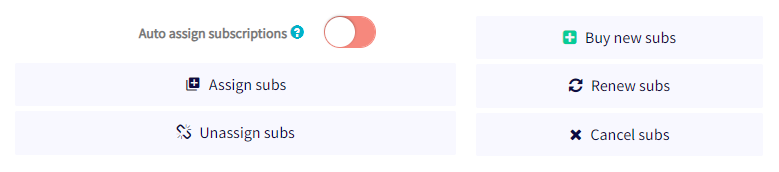
[7] 1. Ga naar de Bulk Manager in je Cryptohopper-account. 2. Navigeer naar het tabblad "Abonnementen". 3. Klik op "Nieuwe abonnementen kopen". 4. Kies het abonnementsplan dat je in bulk wilt kopen. 5. Selecteer maandelijks of jaarlijks. 6. Stel het aantal abonnementen in dat je wilt kopen. 7. Selecteer je betaalmethode — momenteel worden alleen Cryptohopper-credits ondersteund. 8. Klik op "Abonnementen bestellen". 9. Wijs de gekochte abonnementen toe aan de gewenste bots.
De bulkkorting wordt automatisch toegepast en betalingen worden afgetrokken van je Cryptohopper-saldo. Voor meer informatie over het toewijzen van abonnementen in bulk en beschikbare kortingsniveaus, zie de relevante documentatie.
Hulp nodig? Mail ons op [email protected].