Wie man Abonnements mit Rabatt kauft
Diese Anleitung erklärt, wie du einen Rabatt auf Bot-Abonnements erhältst, wenn du sie in großen Mengen kaufst.
Voraussetzungen
- Ein Cryptohopper-Konto.
- Mindestens drei bereits aktive Abonnements.
- Ausreichend verfügbare Cryptohopper-Credits.
Schritte
- Greife auf den Bulk Manager in deinem Cryptohopper-Konto zu.
- Navigiere zum Tab "Subscriptions".
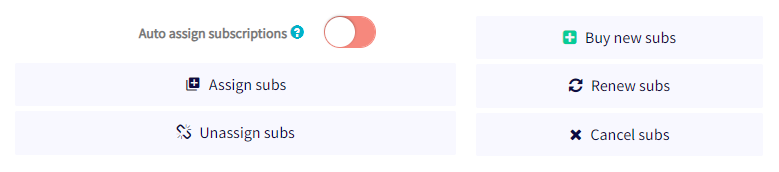
- Klicke auf "Buy new subs".
- Wähle den Abonnement-Plan, den du in großen Mengen kaufen möchtest.
- Wähle monatlich oder jährlich.
- Lege die Anzahl der Abonnements fest, die du kaufen möchtest.
- Wähle deine Zahlungsmethode – derzeit werden nur Cryptohopper-Credits unterstützt.
- Klicke auf "Order subscriptions".
- Weise die gekauften Abonnements deinen gewünschten Bots zu.
Der Mengenrabatt wird automatisch angewendet und Zahlungen werden von deinem Cryptohopper-Guthaben abgezogen. Weitere Informationen zur Zuweisung von Abonnements in großen Mengen und zu verfügbaren Rabattstufen findest du in der entsprechenden Dokumentation.
Tipp
Brauchst du Hilfe? Schreibe uns an [email protected].