What is troubleshooting your Paper Trading bot
A guide to diagnosing and fixing common issues with your Paper Trading bot.
Subscription
You need a valid bot subscription to use the Paper Trading bot. You do not need to assign the subscription specifically to the Paper Trading bot — one subscription covers both a live bot and a Paper Trading bot simultaneously. However, you cannot run multiple Paper Trading bots under a single subscription. If you enable more than one, they will stop trading and you will need to re-enable the one you want to use.
- 1 subscription ? 1 live bot + 1 Paper Trading bot
- 5 subscriptions ? 5 live bots + 5 Paper Trading bots
You can check the number of Paper Trading bots available to you under "Subscriptions".
Enable your bot
Check the three toggles on your Dashboard:
First toggle — Bot enabled When disabled, no information is sent to or received from the exchange. Your bot is not working.
Second toggle — Buying enabled When enabled, the bot automatically buys based on your Baseconfig, Config Pools, Signalers, or Triggers. When disabled, no new trades open. Note: Triggers can also affect buying behaviour.
Third toggle — Selling enabled When enabled, the bot automatically sells based on your Baseconfig, Config Pools, Signalers, or Triggers. When disabled, no positions are sold.
Funds
Check your fake assets under "Current Assets" on your Dashboard. You need sufficient quote currency to trade automatically — your bot's goal is to grow that currency. Since you are using a Paper Trading bot, you can deposit additional fake funds at any time.
Currencies
When trading very small currencies, even tiny price changes can result in large percentage profits or losses. This is especially relevant when using Bitcoin as your quote currency.
Output
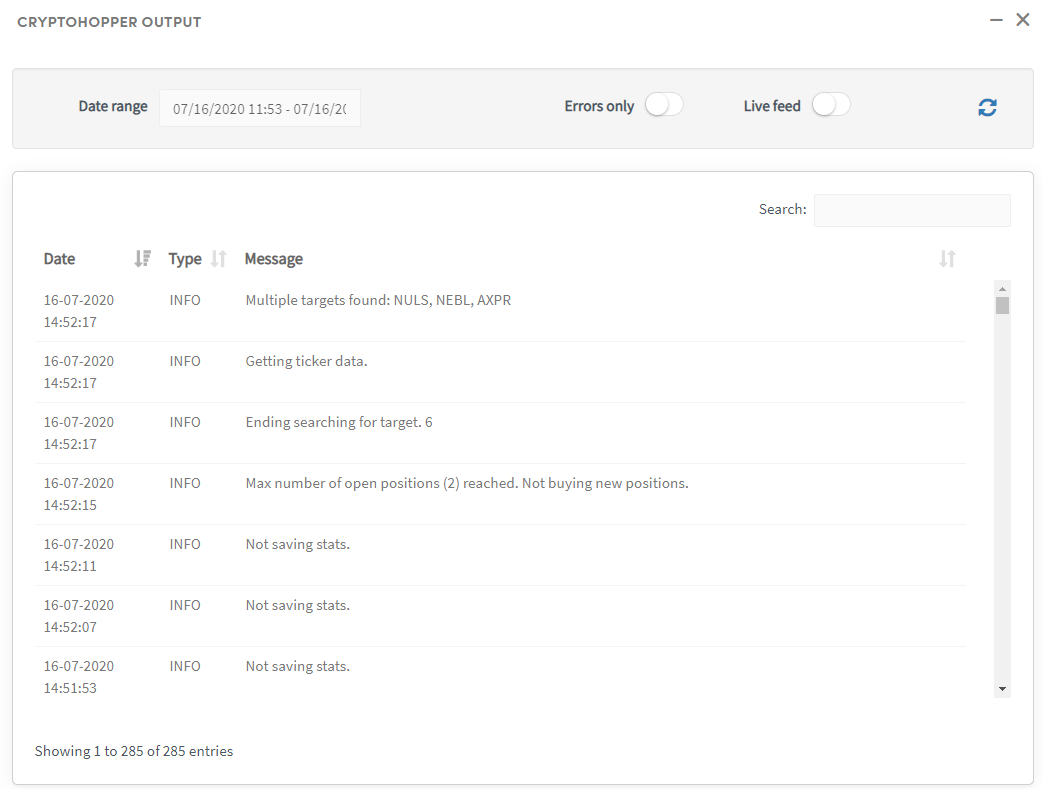

Monitor the Output section to see how your bot is following its configuration. For example, it may show that the bot has reached its maximum number of open positions or the maximum allocated investment amount.
To filter results, select a specific time period — the maximum is 500 entries. If you can't find what you're looking for, select a shorter timeframe.
Errors
A well-functioning Paper Trading bot should not show errors in the Output. Errors may occasionally appear during a platform update. If you experience persistent errors, contact our support team for help.