What are the settings in the Config Pool
An explanation of every setting in the Config Pool — Basic settings, Buy settings, Strategy, Trailing Stop-Buy, Sell settings, Sell strategy, Stop-Loss, Trailing Stop-Loss, Auto close, and Dollar Cost Averaging.
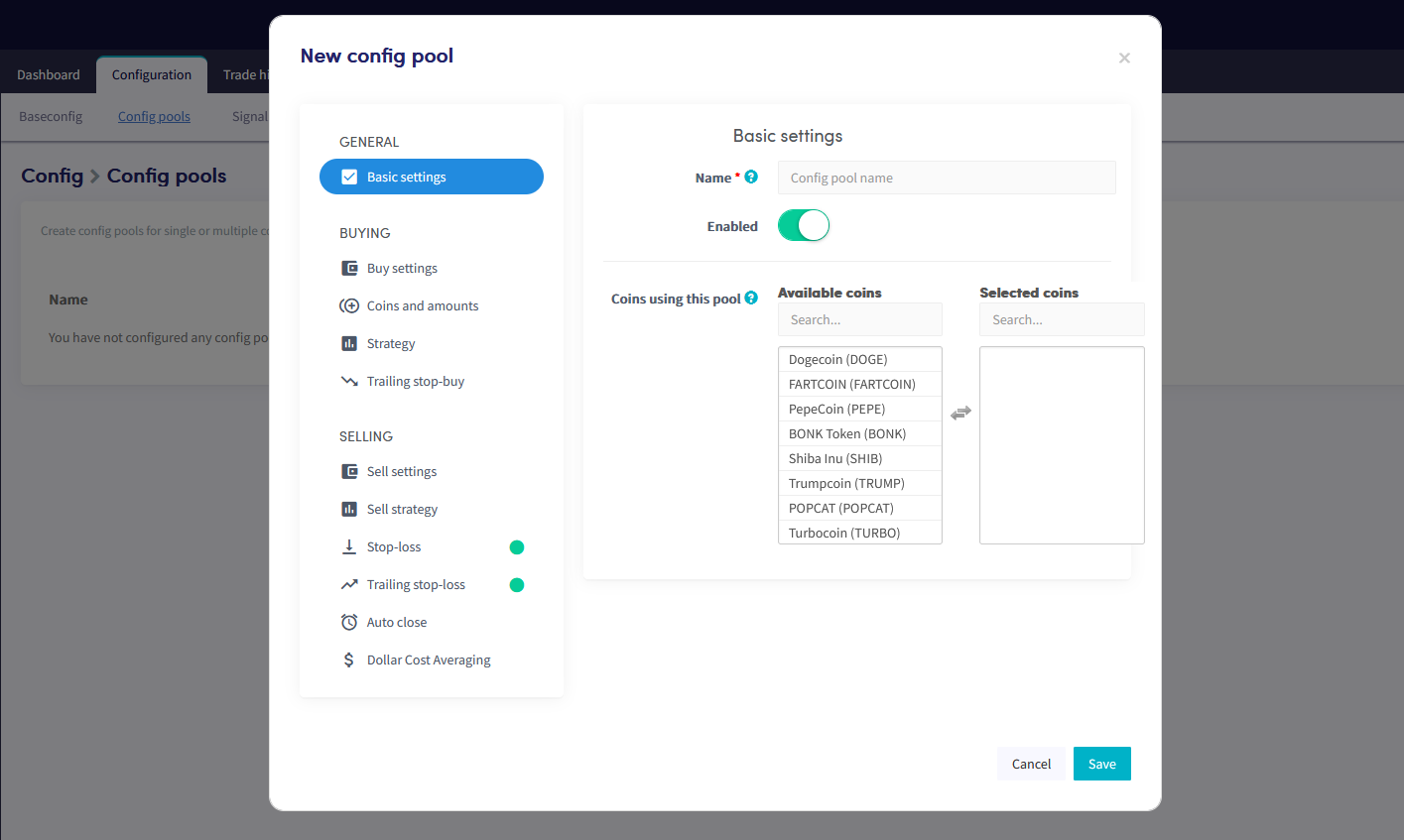
Basic settings
Name Name the Config Pool.
Enable The Config Pool is enabled by default when created. Only toggle this off to disable it.
Currencies using this pool Select the currencies this Config Pool applies to.
Buy settings
Order type The order type the bot uses for buying. Market orders fill immediately but may result in lower profits or larger losses during low volume or high volatility. Limit orders are placed at a specific price and usually take longer to fill.
Max open time buy The number of minutes a buy order stays open before it is canceled. Canceling open orders frees up reserved funds for new trades.
Cooldown When enabled, the bot will not attempt to buy a currency again within the configured cooldown period after a buy or sell. Prevents repeated purchases when multiple buy signals arrive in quick succession.
Cooldown when Select whether the cooldown applies after buys, sells, or both.
Cooldown period The number of minutes the bot stays in cooldown for the currencies in this Config Pool.
Strategy
Strategy Switch the toggle to use a strategy for this Config Pool. If a strategy is enabled in your Baseconfig, those settings are copied here and can be adjusted specifically for this pool.
Trailing Stop-Buy
Trailing Stop-Buy Switch the toggle to enable Trailing Stop-Buy. If enabled in your Baseconfig, those settings are copied here and can be adjusted for this pool.
Trailing Stop-Buy percentage The percentage the price must rise before the Trailing Stop-Buy is triggered and a buy order is placed.
Sell settings
Take profit at The profit percentage at which the bot places a sell order. Copied from your Baseconfig — can be adjusted for this pool.
Order type The order type the bot uses for selling. Copied from your Baseconfig — can be changed for this pool.
Max open time sell The number of minutes a sell order stays open before it is canceled. A short time lets the bot retry quickly but may result in partially filled orders. Copied from your Baseconfig — can be adjusted for this pool.
Sell strategy
Sell based on strategy When enabled, the bot sells when your TA strategy signals a sell. Important: positions may be sold at a loss. If enabled in your Baseconfig, those settings are copied here and can be changed for this pool.
Only sell in profit When enabled, only positions in profit are sold when your strategy or a TradingView Alert signals a sell. Overrides other sell settings.
Sell in profit percentage The minimum profit percentage required before the strategy will sell a position.
Stop-Loss
Enable Switch the toggle to activate Stop-Loss. If enabled in your Baseconfig, those settings are copied here and can be adjusted for this pool.
Stop-Loss percentage The percentage a position must drop before Stop-Loss triggers a sell. Enter a positive number — for example, enter 2.5 to sell when the price drops 2.5%.
Trailing Stop-Loss
Trailing Stop-Loss Switch the toggle to activate Trailing Stop-Loss. If enabled in your Baseconfig, those settings are copied here and can be adjusted for this pool.
Trailing Stop-Loss percentage The percentage a currency must drop from its peak before the bot attempts to sell.
Arm Trailing Stop-Loss The profit percentage a position must reach before the Trailing Stop-Loss is armed. For example, set to 1%: the TSL activates at 1% profit, then sells if the price drops by the TSL percentage.
Use Trailing Stop-Loss only When enabled, the bot only uses Trailing Stop-Loss to sell. Take Profit, Sell based on strategy, and Short based on strategy will not trigger a sell.
Reset Stop-Loss after failed orders When enabled, the Trailing Stop-Loss resets after a canceled order.
Only sell with profit When enabled, the bot will not place a sell order if the Trailing Stop-Loss would result in a loss.
Auto close
Enable When enabled, all positions are sold after a set period of time — even at a loss. Commonly used by merchants and miners who want to automatically convert to a stable currency. If enabled in your Baseconfig, those settings are copied here and can be adjusted for this pool.
Close position after X time open The time that must pass before the bot starts selling all open positions.
Dollar Cost Averaging
Dollar Cost Averaging Switch the toggle to enable DCA. If enabled in your Baseconfig, those settings are copied here and can be adjusted for this pool.
Order type The order type used for DCA buys. Market orders fill immediately; limit orders are placed at a specific price and usually take longer to fill.
DCA after X time open The time that must pass after a position is opened before a DCA order is created. Useful for gradually accumulating a currency over a longer period.
DCA max retries The maximum number of DCA orders the bot can create for a single currency. Resets after every successful sell. Avoid setting this too high — it can result in significantly larger losses.
DCA set percentage trigger The percentage the price must fall before a new DCA order is placed. Enter a positive number. After a DCA order is executed and positions are merged, the price must drop by this percentage again before another DCA triggers. If a limit order isn't filled in time, consider using market orders.
DCA buy immediately When enabled, the DCA order triggers as soon as the percentage loss is hit, without waiting for a strategy signal. Note: the bot may buy at an unfavourable time.
DCA order size How large each DCA order is relative to your current position:
- Double down — opens a DCA order equal to the total size of all open positions for that currency.
- Triple down — opens a DCA order twice the size of all open positions for that currency.
- Custom percentage — set your own percentage.