How to read your Signaler performance page as a Signaler
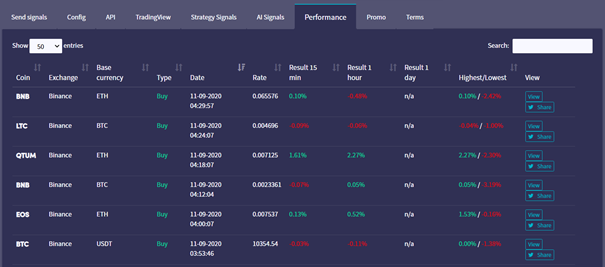
This guide shows you how to read your Signaler performance page.
Prerequisites
- A Cryptohopper account.
- Approved status as a Signaler.
- Active Signals being sent.
Steps
- Log in to your Cryptohopper account.
- Click "Marketplace".
- Click "Signaler Dashboard".
- Click "Performance" and review your results.