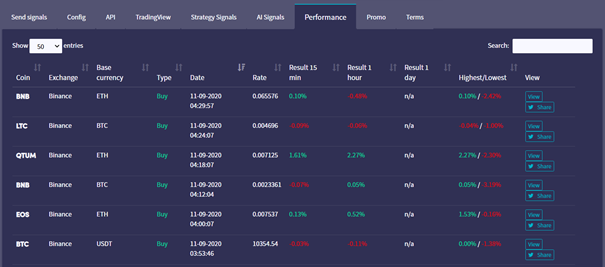
Comment lire ta page de performance de Signaleur en tant que Signaleur
Ce guide te montre comment lire ta page de performance de Signaleur.
Conditions
- Un compte Cryptohopper.
- Statut approuvé en tant que Signaleur.
- Signaux actifs en cours d'envoi.
Étapes
- Connecte-toi à ton compte Cryptohopper.
- Clique sur "Marketplace".
- Clique sur "Tableau de bord Signaleur".
- Clique sur "Performance" et consulte tes résultats.