What is on the Dashboard for the Trading Bot in the app
A full reference of every section on the Trading Bot Dashboard in the Cryptohopper iOS or Android app.
Dashboard sections
Orders
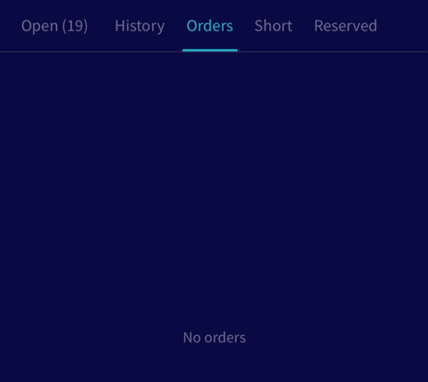
All active orders currently being managed by the bot.
Activity
Shows what your bot is doing. When active, the bot is waiting for its next scheduled check.
Output
Tap "Activity" to open the Output. This is where the bot communicates with you — it reports any errors or problems it encounters.
Open positions
All current open trades. Tap on a position to see more details.
Short positions
All current open short positions. Short positions exist only in Cryptohopper — they are not visible on the exchange.
Reserved Funds
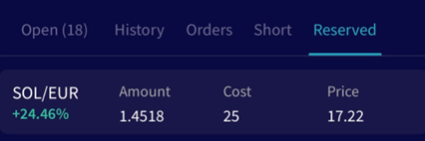
A protected holding area for open positions or quote currency you don't want the bot to interact with. Funds in Reserved remain untouched until you release or move them.
To move a position into Reserved Funds: tap the position under the "Open" tab, tap the three dots in the top-right corner, and select "Reserve funds".
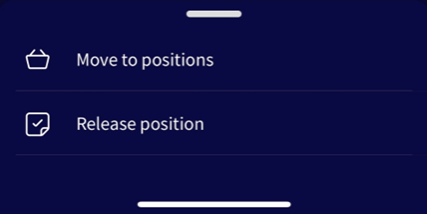
To release a position from Reserved Funds, you have two options:
- Move to positions — returns the position to your open positions.
- Release — moves the funds to your assets section. The bot will not sell these funds. Note: if Auto-sync is enabled, released funds will appear as a new open position.
Synchronize

Sync positions that exist on your exchange but are not yet visible in your bot. When you sync, the bot converts your holdings into open positions using the current market price as the buy price, setting the position to 0% profit. If you bought the asset at a different price and want accurate profit tracking, enter the correct buy price in the "Rate" field before syncing.
To sync a currency, tap "Sync" next to the position and confirm by tapping "Sync" in the pop-up.