What to find in the Trade History in the app
A full reference of every field in the Trade History in the Cryptohopper iOS or Android app.
Trade History fields
Search
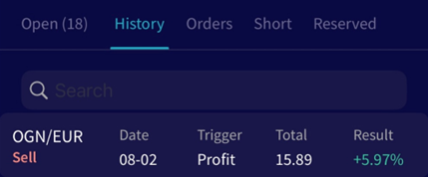
Search for specific past trades or filter by a particular currency.
Date
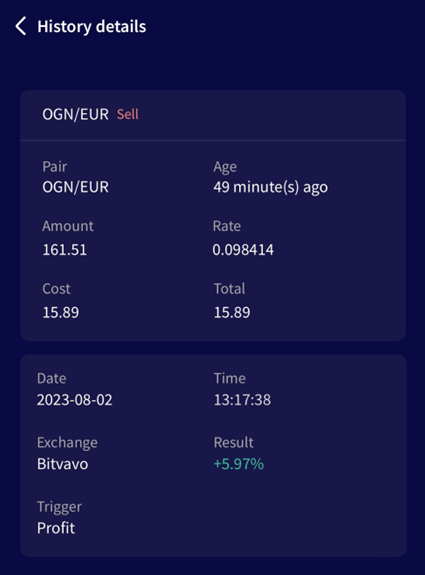
The date and time a buy or sell order was placed. Use this to cross-reference with your bot's Output when troubleshooting a specific trade.
Pair The currency traded against your quote currency. We recommend using stable coins (USDT, USD, EUR) — especially if you are new to trading — as it is easier to measure profit.
Amount How much of the currency was bought or sold. The buy amount is set in the Baseconfig. If positions are being opened smaller than configured, enable "Force minimum buy amount" under Baseconfig ? Coins and amounts.
Rate The price paid per unit in your quote currency.
Trigger What caused your bot to buy or sell. Useful for understanding which sell triggers result in profits or losses. Note: this is different from the Triggers feature.
Total The total amount paid or received. Calculated as Rate × Amount. You can verify this against your exchange's trade history.
Results The profit or loss on a trade, calculated as Total sell value ÷ Total buy value. With Shorting, the percentage shows how much you saved by buying back the same amount of the currency at a lower price. For more information, see Shorting settings.
Removing or editing the Trade History
Remove Trade History You cannot delete your Trade History directly. To start fresh, save your existing bot template, load it into a new bot, assign your subscription to the new bot, and delete the old one. The Trade History is removed when the old bot is deleted.
Edit Trade History It is not possible to edit data in the Trade History within Cryptohopper. You can make changes after exporting the file in PDF, CSV, or Excel.