Introduction to Cryptohopper’s Trading bot
Automated trading can be both powerful and complex. This article serves as a comprehensive guide to Cryptohopper's Trading Bot, offering insights and resources to help you navigate this innovative trading platform effectively.
1. How the Trading Bot works
The Trading Bot has four configuration tabs that work together to automate your trading strategy.
Baseconfig The central command center. Connect your exchange, configure buy and sell settings, and define when to trigger trades — by strategy, signal, or both.
Config Pools Override your Baseconfig for specific currencies or groups. Useful for applying different strategies to highly volatile assets.
Signals Configure buy and sell settings based on signals from a Marketplace Seller. Note: once a position is opened via a signaler's settings, those settings won't automatically update if your Baseconfig or Config Pools change.
Triggers Event-based actions that automate specific responses — for example, halting new orders if a cryptocurrency's price drops by 5%.
We highly recommend starting with a Paper Trading bot to get familiar with these settings. The Backtester tool also lets you assess how your configurations would have performed historically.
2. Ensuring correct bot setup
Use the Bot Doctor on your bot by clicking on the orange issue button in the right down corner. Here you can see what issues your bot is having.
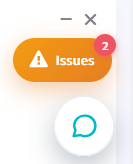
Use the Troubleshooter, accessible in the top menu of your Dashboard, to periodically verify your bot is correctly configured — especially right after initialisation. If you still need help, our support team is available via the chat button in the lower-right corner of your browser.

3. Trading automatically
Cryptohopper offers several ways to automate your trading:
Manual buying with automated selling Enter trades manually via the Advanced Dashboard, then let the bot handle exits using Take Profit, Trailing Stop-Loss, Stop-Loss, or DCA settings. Positions without specific sell settings follow your bot's configuration.
Strategy with technical indicators Use the Strategy Designer to build your own strategies based on technical indicators, or download pre-designed strategies from the Marketplace and backtest them before going live.
Trading signals Subscribe to signals from Marketplace signalers. Download their recommended bot templates and add the suggested currencies to "Coins and Amounts" in your Config to get started.
AI Strategy Designer Available to Hero subscribers. Select multiple strategies, signalers, or TradingView Alerts and let the AI choose the best strategy based on current market conditions.
TradingView Alerts Create alerts in TradingView that automatically trigger Cryptohopper to open or close positions on your behalf.
4. Understanding subscriptions
A single Explorer, Adventurer, or Hero subscription lets you run one live bot on an exchange with real funds, plus one Paper Trading bot with simulated funds. You do not need to assign a subscription to a Paper Trading bot — the system tracks these automatically.
Paper Trading bots support up to 75 currencies within a single bot. See the pricing page for a full breakdown of what each subscription includes.
5. Monitoring your bot on the go
The crypto market runs 24/7. Use the Cryptohopper iOS or Android app to monitor and manage your bot from anywhere. The Documentation's dedicated app section covers all app-related questions.