How to pay with your credit card (Paddle)
This guide shows you how to pay for a Cryptohopper subscription using a credit card via Paddle.
Prerequisites
- A Cryptohopper account.
- Readiness to purchase a subscription using a credit card.
信息
If you need invoices for accounting purposes, use Paddle's invoices — they include tax/VAT and show the exact amount charged.
Steps
- Log in to your Cryptohopper account.
- Click "Subscriptions".
- Click "New subscription".
- Select the subscription you want to buy.
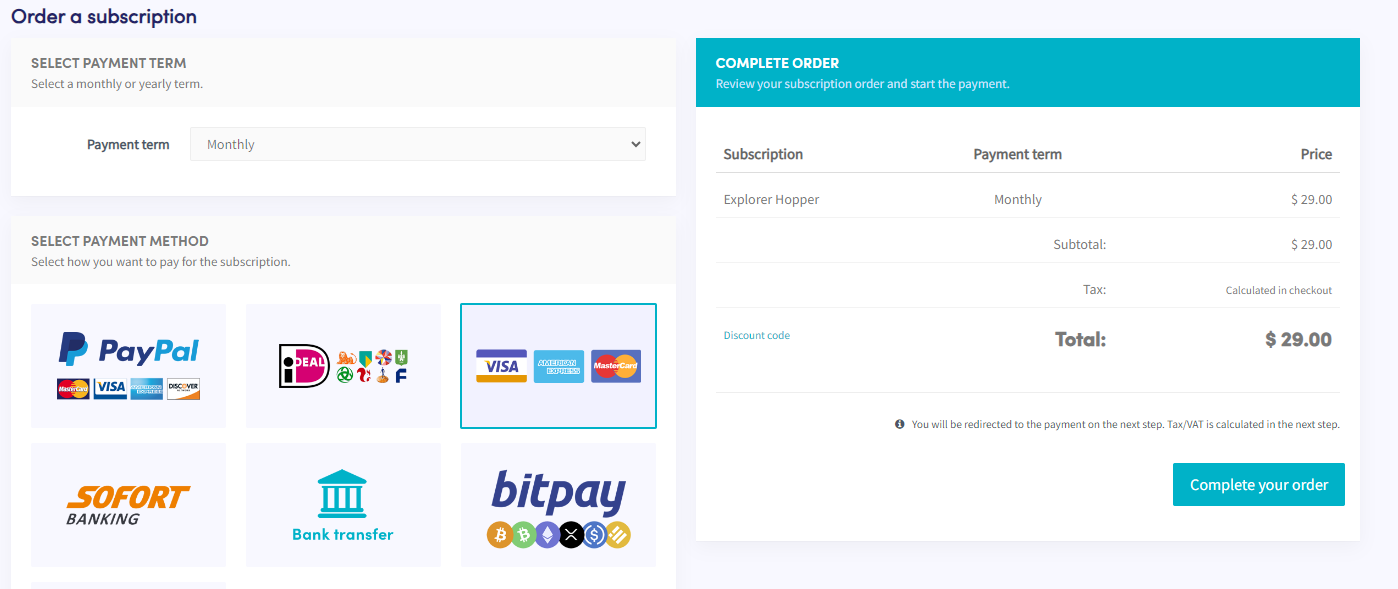
- Select the payment term.
- Click the tile showing Visa, American Express, and Mastercard.
- Click "Complete your order". You will be redirected to Paddle.
- Click "Pay by card". Note: the price may differ slightly due to local taxes or VAT. If you have a business account, you can add your VAT number.
- Fill in your card details.
- Click "Subscribe now".
- After payment, you will receive a confirmation email.