Comment se connecter à OKX avec les clés API
Tu peux rencontrer une erreur dans le processus d'intégration de Cryptohopper lors de la connexion à OKX, même si tes clés API sont correctes. Les raisons les plus courantes incluent l'absence de fonds dans ton compte exchange, l'absence de fonds dans ton compte de trading (car certains exchanges de crypto différencient les comptes de financement et de trading), ou le fait de ne pas être un utilisateur vérifié de l'exchange (KYC). Dans ce cas, clique sur 'Continue without testing'. Tu peux toujours vérifier tes clés API plus tard dans ta Config. de base.
Créer ta clé API sur OKX
Pour connecter ton bot à OKX, tu auras besoin d'une clé API. Considère une clé API comme un pont entre Cryptohopper et ton exchange, qui permet à ton bot de faire des choses comme placer des ordres automatisés et lire ton solde pour ses calculs.
Étape un.
Va sur le site web d'OKX, et crée un compte si tu ne l'as pas encore fait.
Étape deux.
Crée ton API.
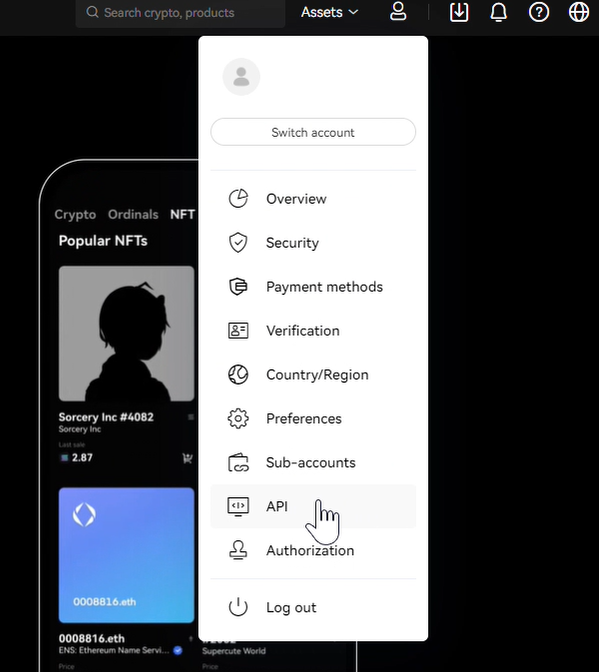
Clique sur l'icône de profil dans le coin supérieur droit de ton tableau de bord OKX, puis clique sur "API".
Étape trois.
Configure la clé API.
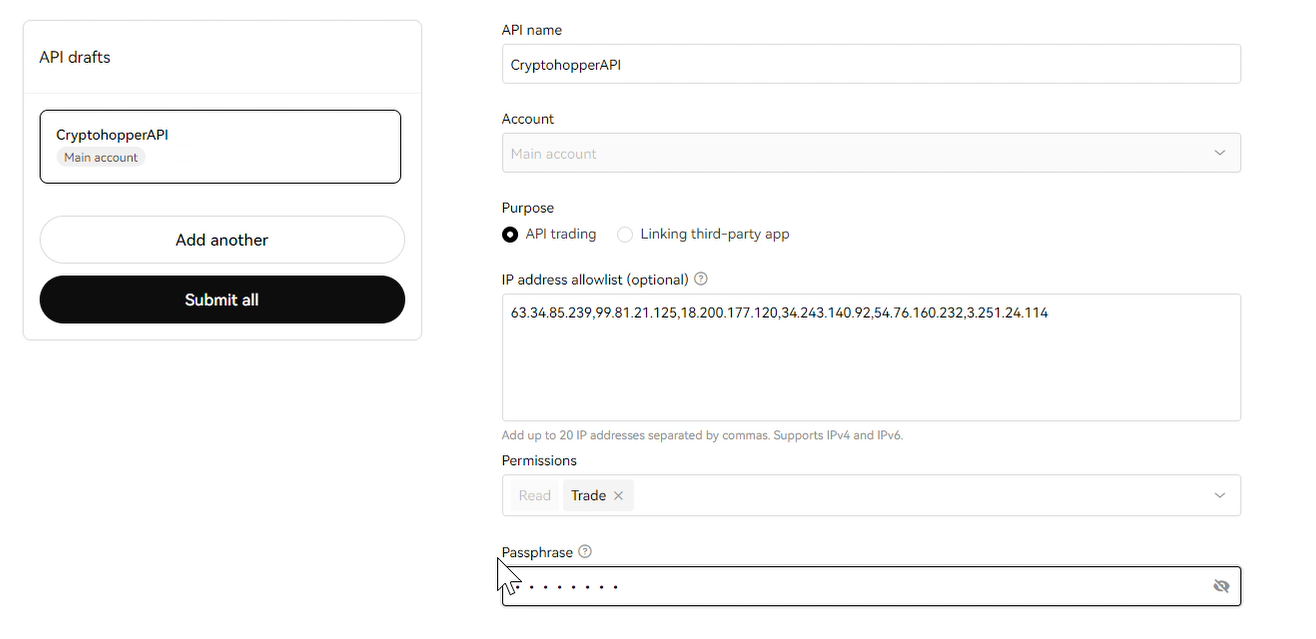
Donne à ta clé API un nom mémorable. Sélectionne le compte avec lequel tu veux trader, et ajoute les adresses IP affichées sur Cryptohopper à la liste blanche.
Étape quatre.
Ajoute la permission "Trade", détermine ta phrase de passe, et clique sur "Submit All". Entre tes informations d'authentification à deux facteurs et clique sur "Confirm".
Étape cinq.
Ajoute l'API à Cryptohopper.
Clique sur "Show Info" et copie et colle les clés API et la phrase de passe dans Cryptohopper. Maintenant, continue avec la création de ton trading bot.
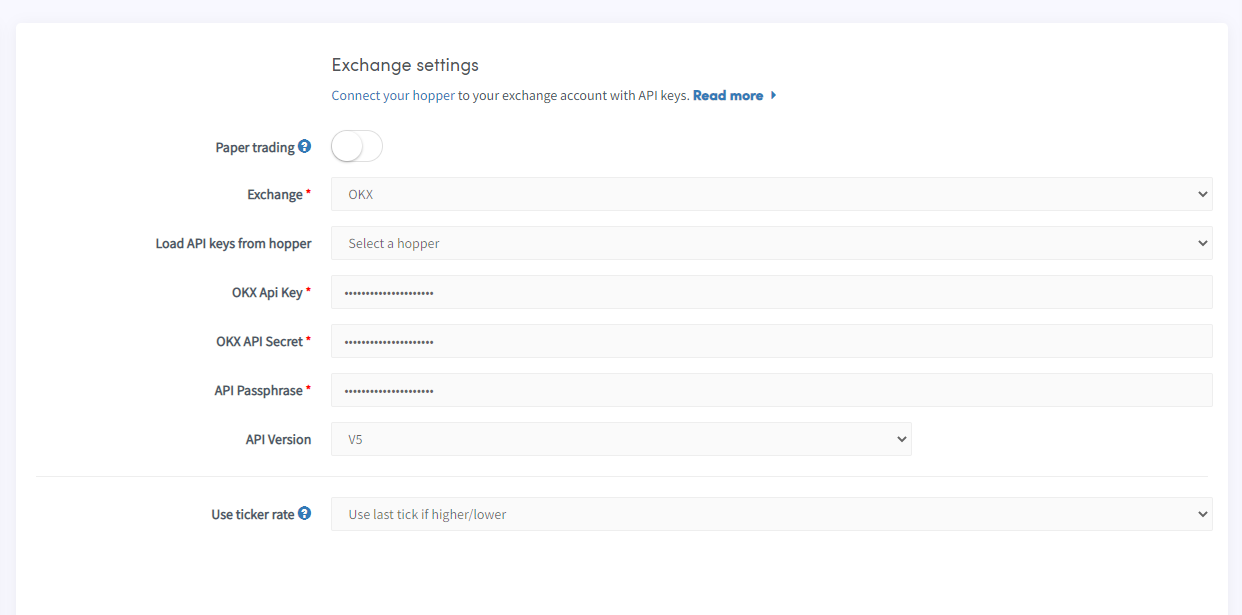
Donne au bot un moment pour tout lier et ton solde devrait être chargé.
Impossible de voir le solde de l'exchange
Si tu ne peux pas voir ton solde de l'exchange, il peut y avoir quelques problèmes empêchant ton bot de se synchroniser avec ton exchange. Une cause courante est l'activation du « remplissage automatique » dans ton navigateur. Pour résoudre ce problème, tu peux essayer de désactiver le remplissage automatique, d'utiliser le mode navigation privée, d'utiliser un autre navigateur ou de désactiver ton gestionnaire de mots de passe. Pour plus d'informations, tu peux regarder notre vidéo Cryptohopper Academy sur ce sujet ou consulter notre article de dépannage.
Montants de trading minimum OKX
Clique ici pour voir les montants de trading minimum sur OKX.
Statut de OKX
Tu rencontres des problèmes avec le trading sur OKX ? Clique ici pour vérifier le statut de l'exchange OKX.