Qué hay en el panel de control para el bot de Arbitraje de Mercado
Esta guía explica qué puedes encontrar en el Panel de Control de Arbitraje de Mercado.
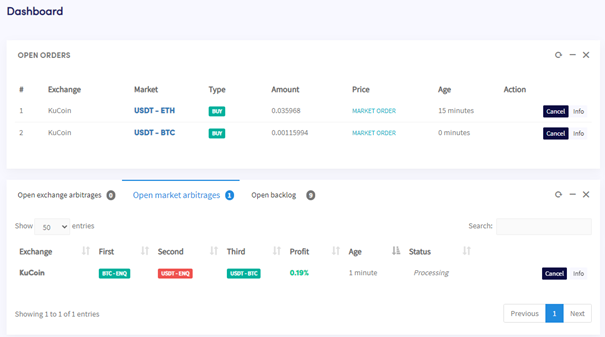
Secciones del panel de control
Órdenes abiertas Todas las órdenes activas que el bot está utilizando actualmente. Si el bot está en medio de una operación de arbitraje, también aparecerá aquí.
Arbitrajes de Mercado Abiertos y backlog
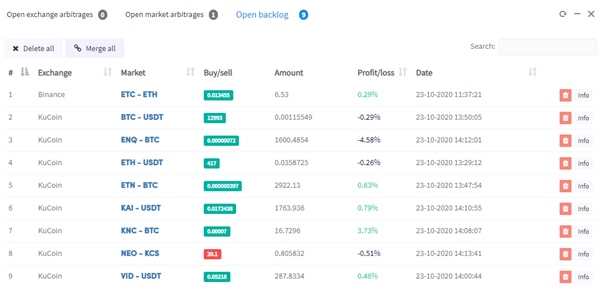
Todos los Arbitrajes de Mercado abiertos actuales y el backlog.
Últimos Arbitrajes de Mercado Un registro de operaciones recientes y si fueron exitosas.
Hopper habilitado / deshabilitado Habilita o deshabilita el Arbitraje de Mercado.
Resultados de Arbitraje de Mercado
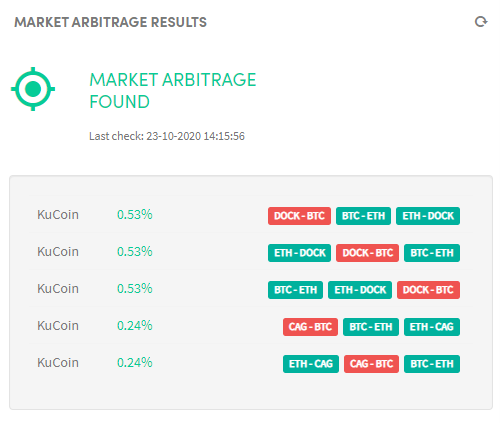
Tu bot escanea los mercados en busca de oportunidades de arbitraje y muestra los resultados aquí. Usa esto para verificar si tus ajustes son demasiado estrictos y si tu bot está configurado correctamente.
Orden manual Coloca una orden manual si no tienes fondos suficientes para una moneda en particular, asegurándote de que tu saldo sea suficiente en todos los mercados seleccionados.
Totales Muestra lo que hay en tu exchange y si has obtenido ganancias. Reinicia los saldos cuando comiences para un seguimiento preciso de las ganancias.
Activos Muestra lo que hay en cada exchange. Selecciona un exchange para ver su saldo.
Salida Donde el bot se comunica contigo. Reporta cualquier error o problema que encuentre.