Qué es la resolución de problemas de tu bot de Arbitraje de Exchange
Esta guía te muestra qué revisar al solucionar problemas de tu bot de Arbitraje de Exchange.
Suscripción
Verifica que tengas una suscripción Hero activa asignada al bot correcto. Si no tienes una, puedes comprar una suscripción aquí. Para más información sobre cómo asignar una suscripción, haz clic aquí.
Habilita tu bot
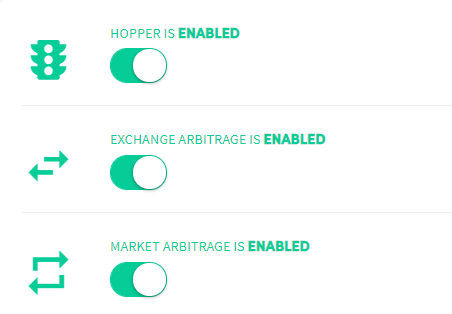
Verifica si tu bot está habilitado en tu panel de control.
Primer interruptor — Bot habilitado Cuando está deshabilitado, no se envía ni se recibe información de tu exchange. Tu bot no está funcionando.
Segundo interruptor No es relevante para el bot de Arbitraje de Exchange.
Tercer interruptor — Arbitraje de Exchange habilitado Cuando está habilitado, el bot compra y vende automáticamente según tu configuración base. Cuando está deshabilitado, no se abrirán operaciones.
Claves api
Verifica tus claves api y confirma que tu bot esté conectado a tu exchange. Sigue el tutorial de conexión específico del exchange — cada exchange tiene una configuración diferente. Si no aparecen errores de api en el Output, tu bot está conectado correctamente.
Fondos
Verifica tus fondos en el panel de control. Recomendamos tener al menos 2 monedas de cotización y múltiples otras monedas. El bot de Arbitraje de Exchange funciona a través de múltiples exchanges y ejecuta operaciones donde las ganancias son más altas. No necesitas mantener fondos en todos los exchanges todo el tiempo, pero a veces un exchange muestra consistentemente precios más bajos mientras que otro muestra precios más altos — en ese caso, puede que necesites mover fondos manualmente entre exchanges.
Configuración base
Asegúrate de que tu configuración base esté completamente configurada, incluyendo las cantidades en "Monedas y cantidades".
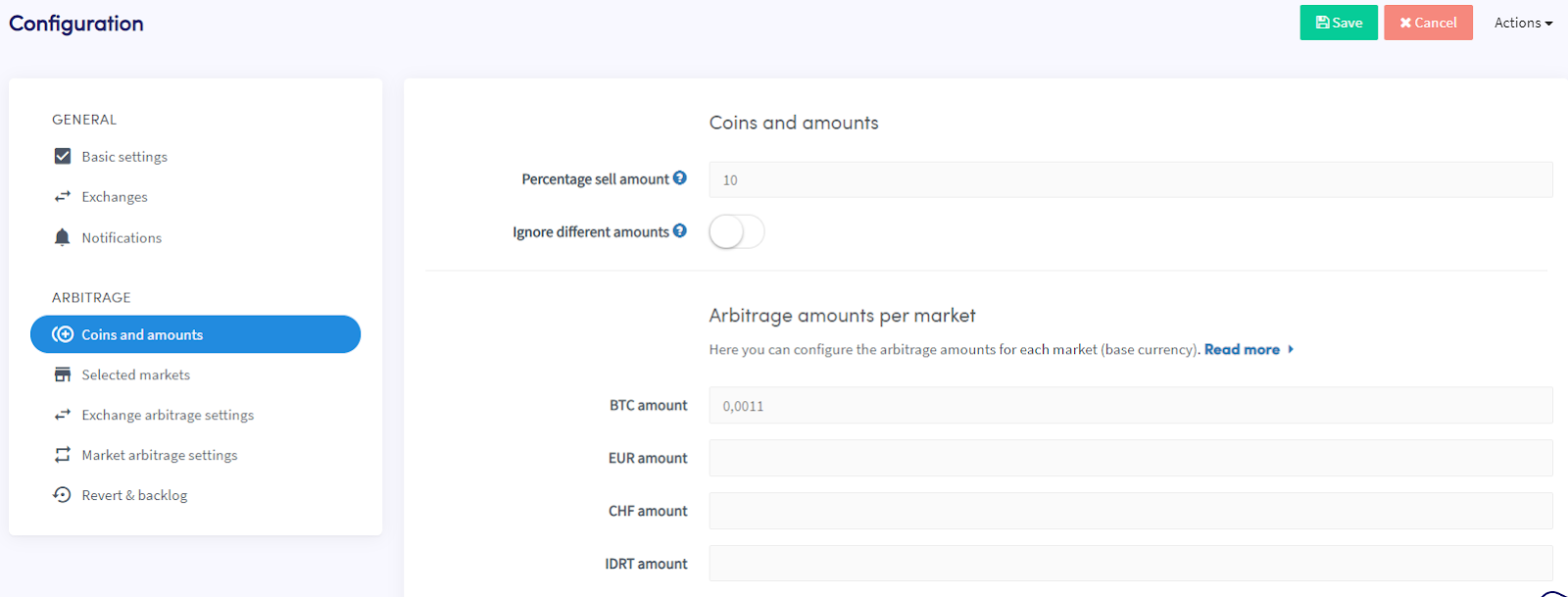
Recomendamos usar un porcentaje de cantidad de venta entre 5% y 20%. Esto asegura que queden suficientes fondos para realizar otra operación para el mismo par. Cantidades menores aumentan las posibilidades de que el bot continúe operando y ayudan a equilibrar los fondos entre exchanges sin intervención manual. Nota: 100% no puede usarse como cantidad de venta.
Asegúrate también de establecer una cantidad mínima por mercado (moneda de cotización).
Output
Verifica el Output en tu panel de control. Muestra todo lo que tu bot está haciendo o no está haciendo.
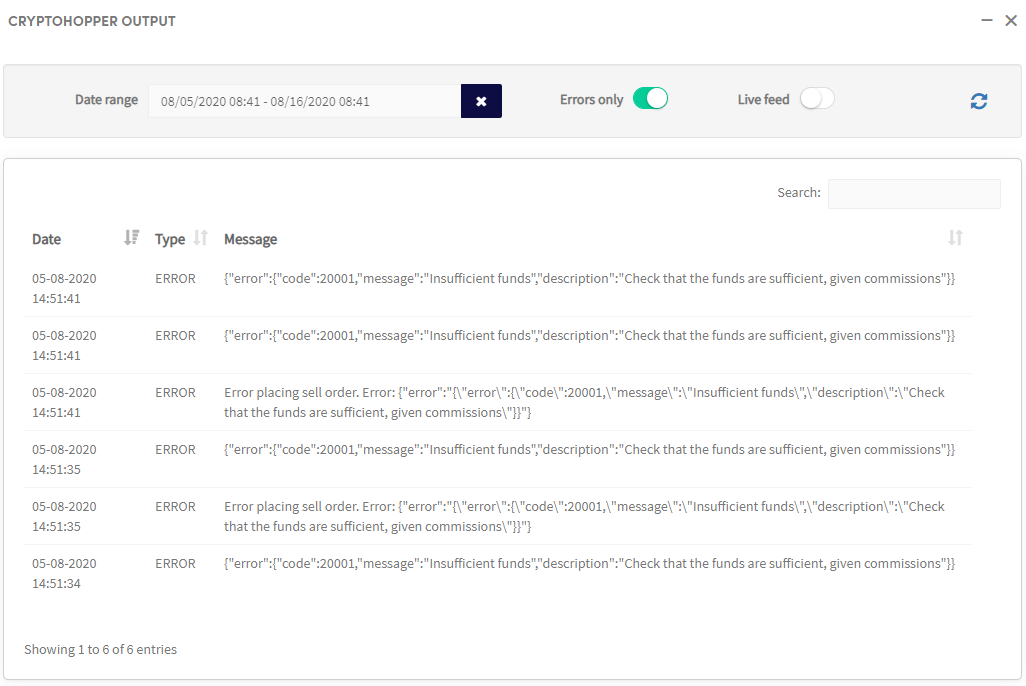
Selecciona un período de tiempo para filtrar los resultados — el máximo es 500 entradas. Usa un período más corto si no puedes encontrar lo que buscas.
Referencia de errores
No se puede recuperar el libro de órdenes del exchange Este suele ser un error temporal. Si persiste, contacta a [email protected].
A veces, la misma moneda tiene dos abreviaciones o símbolos diferentes en distintos exchanges. En estos casos, por favor contacta a [email protected].
¿Necesitas ayuda adicional con un mensaje de error? Envíanos un correo a [email protected].