How to set up Toridion Quantabotics
This guide shows you how to set up Toridion Quantabotics and explains the settings you need to fill in.
Prerequisites
- A Cryptohopper account.
- A Toridion Quantabotics account.
Steps
- Go to your Cryptohopper account and click "Marketplace".
- Click "Apps".
- Click "Quantabotics".
- Log in to Quantabotics.
- Choose whether you want to set up the Switcher or the Volatility Protect.
- Fill in all the required fields.
- Click "Save Hopper Configuration".
Template Switcher settings
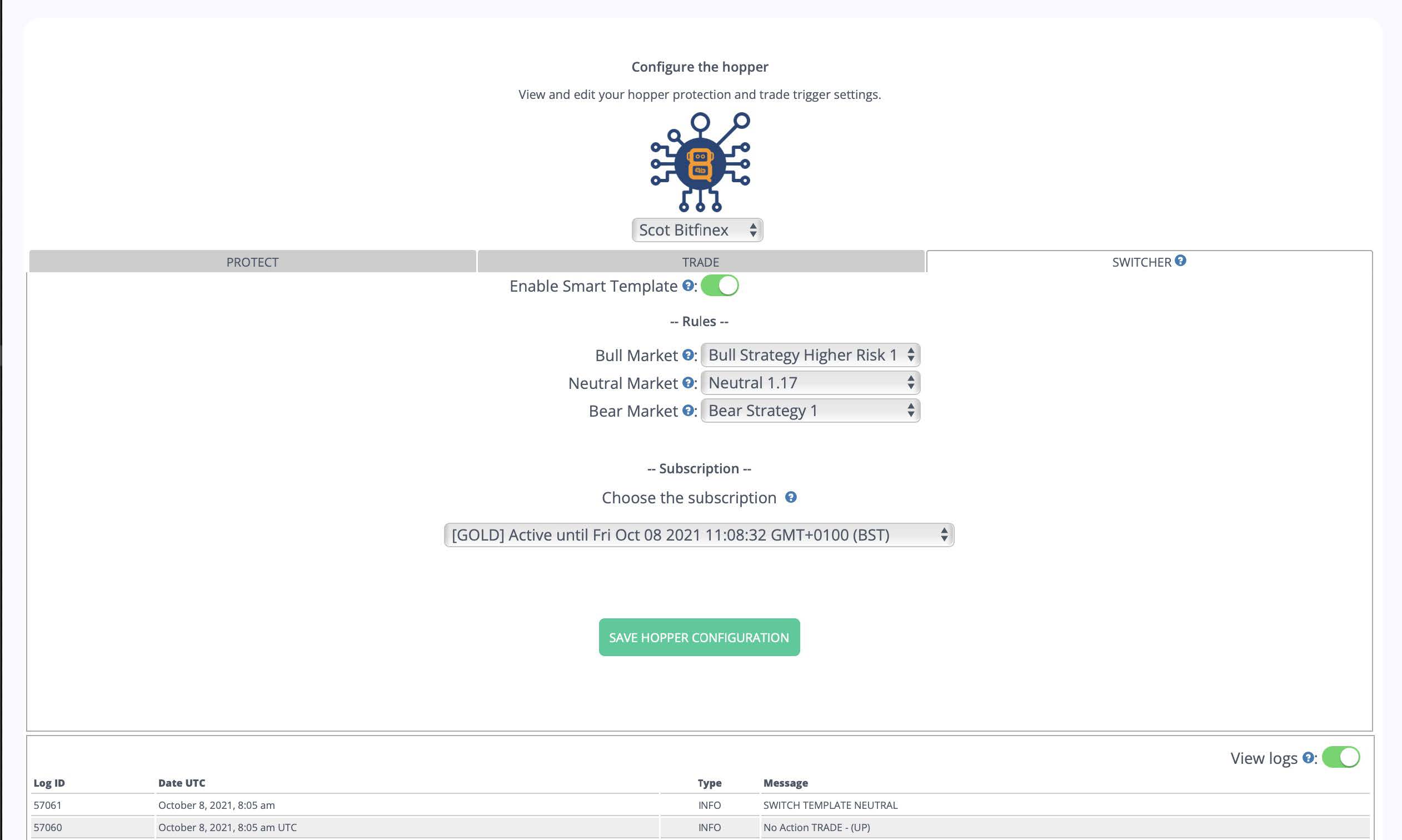
Enable Smart Template Switch the toggle to activate the Switcher.
Bull market Select the Cryptohopper template to use in a bull market.
Neutral market Select the Cryptohopper template to use in a neutral market.
Bear market Select the Cryptohopper template to use in a bear market.
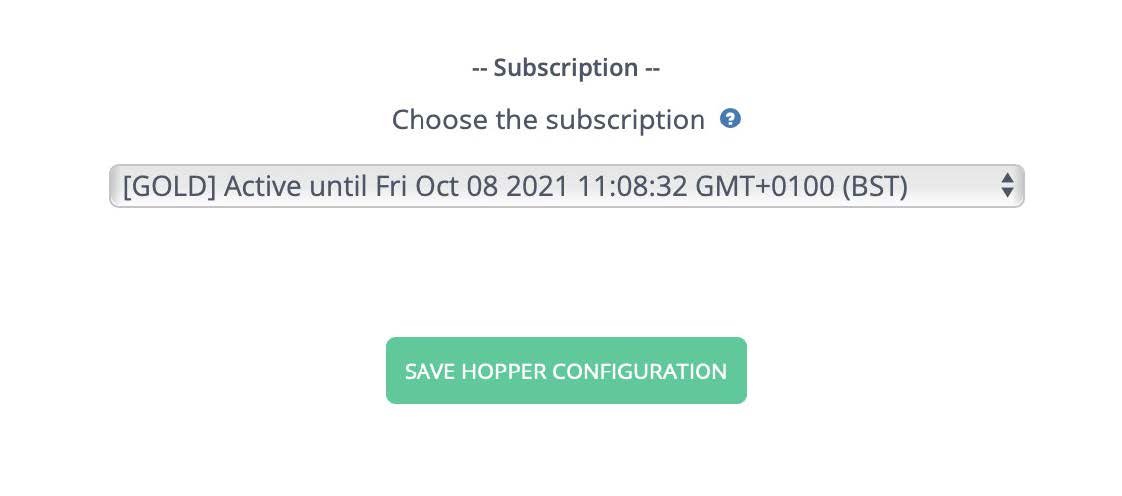
Choose the subscription Select which subscription to use. Note: a Quantobot without a subscription will not send commands to your Cryptohopper bot. The Switcher only works with Switcher services — it will not work with the Volatility Protect.
Volatility Protect settings
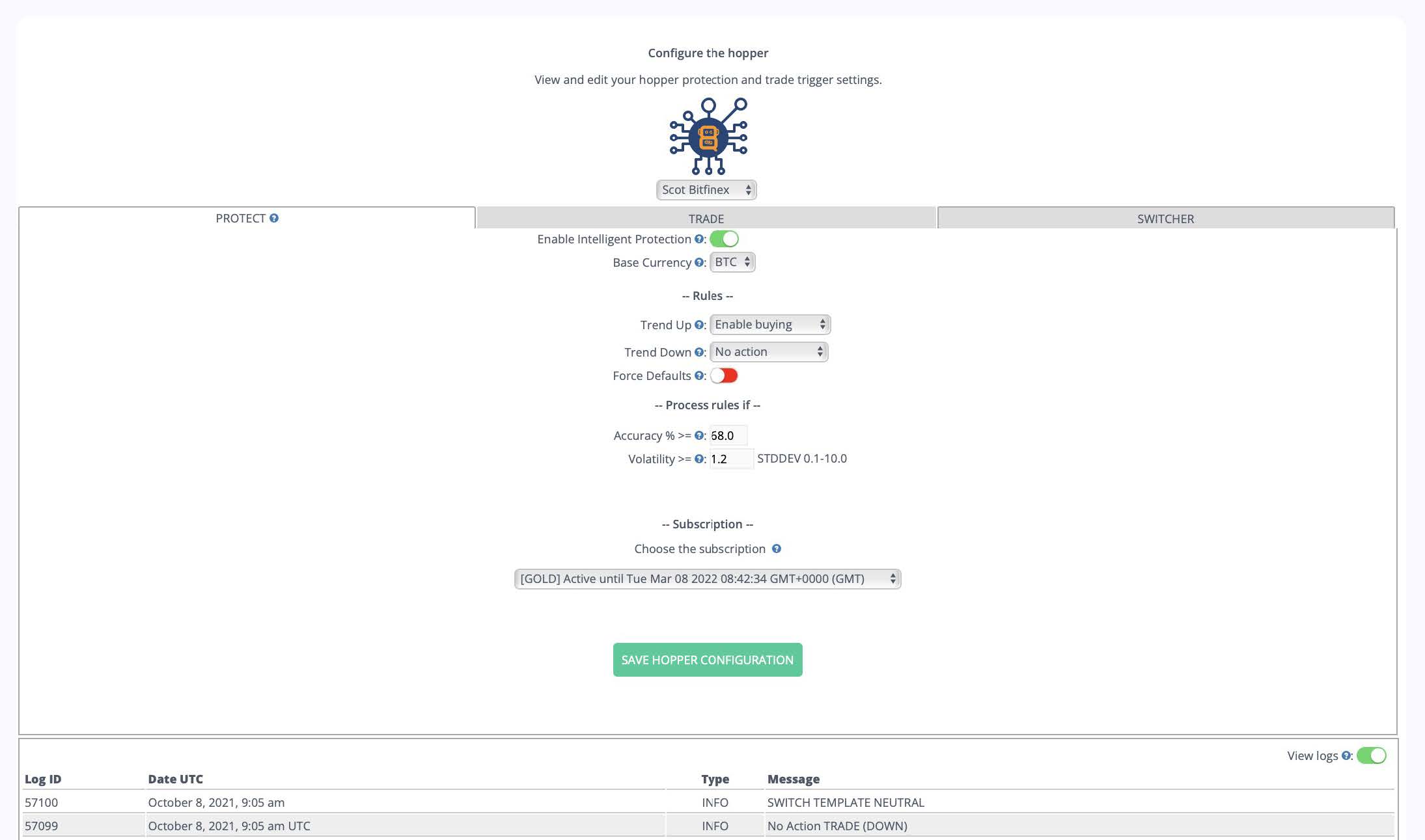
Enable Intelligent Protection Switch the toggle to activate the Volatility Protect.
Base currency Select your quote currency. Default is BTC.
Trend Up Select the action to take when the market is forecast to go up in the next hour. Options:
- Do Nothing
- Open position
- Sell position
- Sell all
- Panic sell
Trend Down Select the action to take when the market is forecast to go down in the next hour. Same options as Trend Up.
Force Defaults When enabled, the trigger first re-enables buying and selling on your bot before processing the rules. If the trigger then determines that no action is needed, buying and selling remain active.
Accuracy % >= The minimum accuracy Toridion must have achieved over the last 24 hours before the trigger rules are processed. For example, entering 68% means that if Toridion's 24-hour forecast accuracy is only 64%, the action will not be triggered that hour.
Volatility >= The minimum volatility required to process the trigger rules. For example, entering 1.2 means the rules only fire if volatility is calculated at 1.2 or higher. Toridion calculates volatility as a function of a 20-day standard deviation of hourly closing prices — so a value of 1.5 against a $100 standard deviation means a required movement of $150.
By setting accuracy and volatility thresholds, you control when you trust Toridion's forecasts based on recent market performance. Higher accuracy settings typically mean lower volatility and less frequent trading. The system defaults are 68% accuracy and 1.2 volatility. Use caution with low settings — depending on exchange fees, low-volatility positions may not always be profitable.
Additional information
Auto Merge Positions Cryptohopper's Auto Merge Positions feature consolidates new orders into a single position. When used with Toridion data, this can cause multiple positions to be opened when a buy trigger fires.
Quantabotics respects Cryptohopper's Max Open Positions setting — before opening an order, the Quantabot compares the current number of open positions to the configured maximum. If fewer positions are open than the maximum, the order is placed.
However, if Auto Merge is enabled, past orders may be merged into a single position, meaning the bot may always see only 1 open position and continue opening new orders. Until you are familiar with how these settings interact, it is recommended to set Max Open Positions to 1 to prevent unintended multiple buys from merging into a single position.