What to find on the Advanced View
This guide shows you what you can find in the Advanced View.
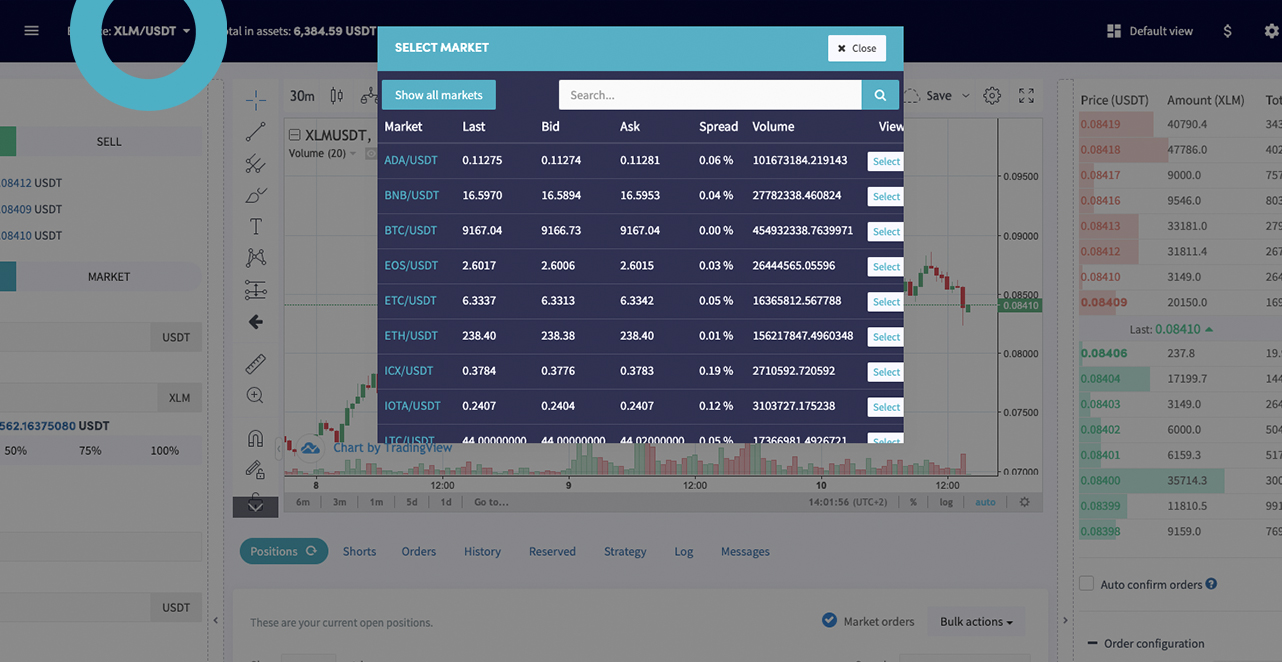
The Advanced View shows one market at a time. Switch markets by clicking the pair in the top left. The chart offers a full set of trading tools, and you can save Technical Indicator templates to quickly check values across your selected coins.
Top bar
Default view Switch away from the Advanced View back to the standard Dashboard.
Dollar sign View all your assets.
Gear wheel View and adjust some of your bot's settings.
Full-screen Expand the view to full screen.
Dark mode Click the moon icon to switch to dark mode.
Discord Opens the Cryptohopper Discord channel.
Profile button Access your account, subscriptions, and log out.
Chart and trading
Order form Place a manual buy or sell order directly from the chart.
Order book View the live order book and see where your order sits. Drag and drop your order to a new price level without canceling and recreating it.
Synchronize
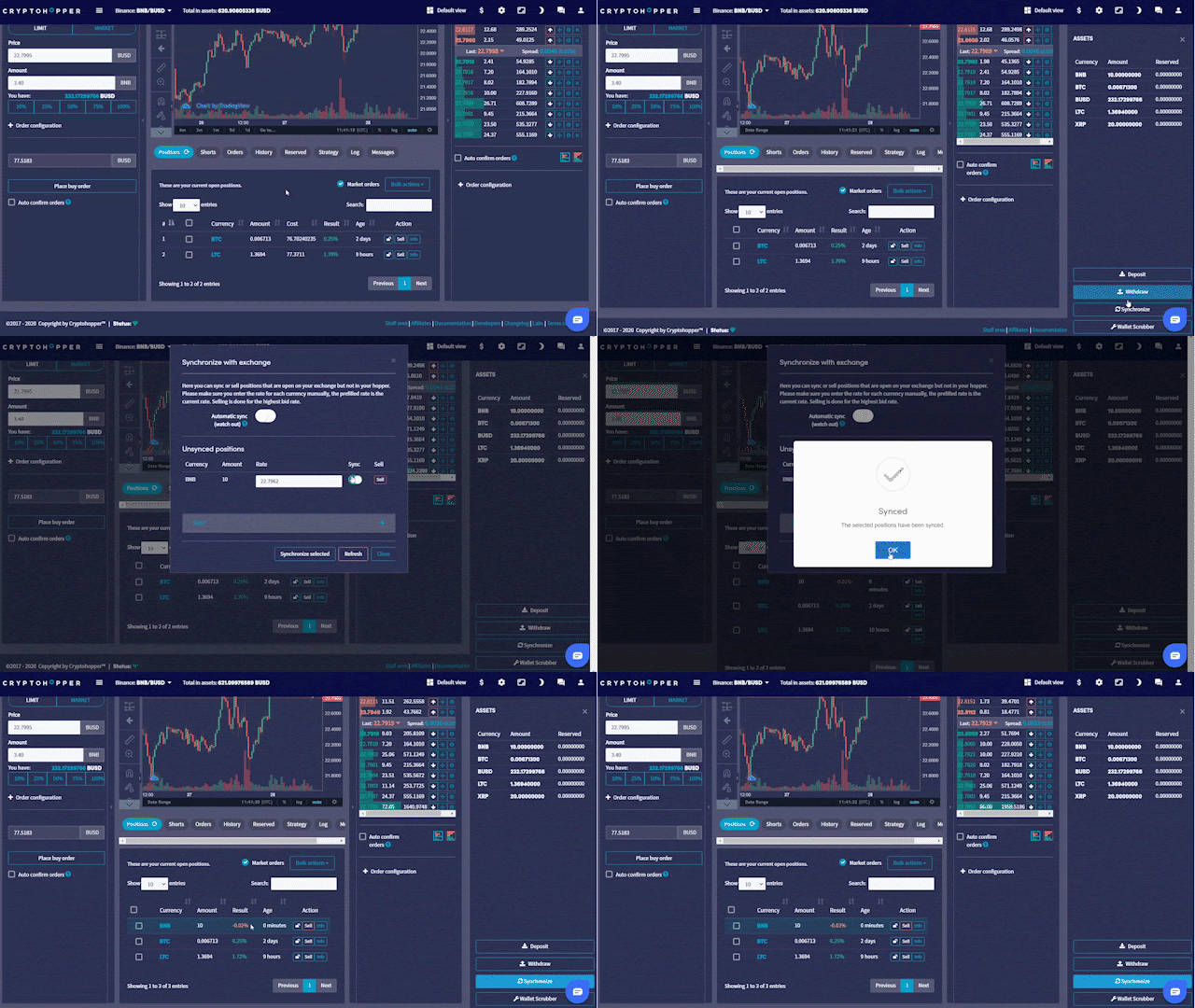
The assets section shows all currencies you hold on your exchange. Click "Synchronize" to convert them into open positions in your bot. The bot uses the current market price as the buy price and sets the position to 0% profit. To ensure accurate profit tracking, enter the actual buy price in the "Rate" field before synchronising.
Enable sync on the currencies you want, then click "Synchronize selected". The position will be managed by your Baseconfig settings — Take Profit, Stop-Loss, Trailing Stop-Loss, Strategy, or Signals.
Panels
Positions Your current open positions.
Shorts Your current open short positions.
Orders Your current open orders.
History An overview of your last 50 trades.
Reserved Your current reserved funds.
Strategy Shows what your bot is scanning for based on your configured strategy.
Log The bot's output — errors, problems, and messages explaining why the bot is or isn't taking action.
Messages Updates and announcements from Cryptohopper.