How to set up a Backtest
This guide shows you how to set up a Backtest and explains every setting.
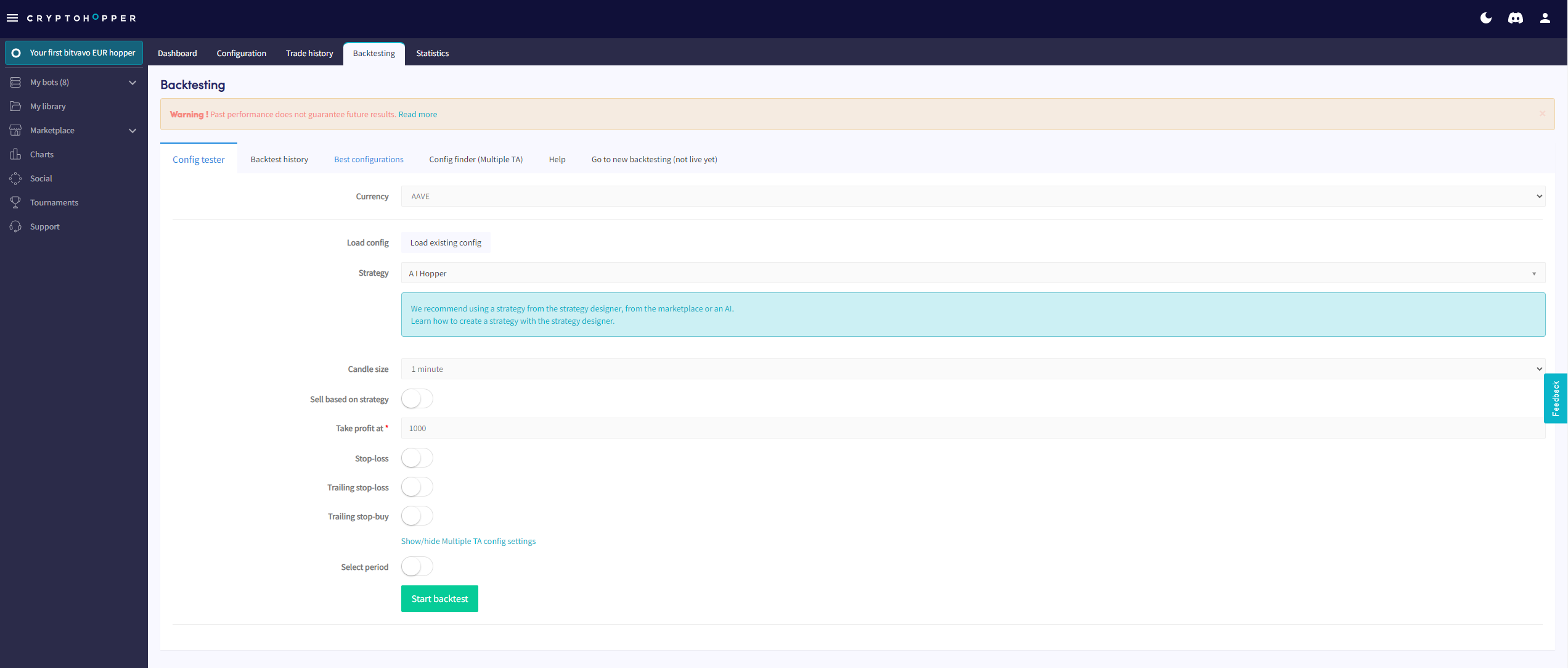
Prerequisites
- A Cryptohopper account.
- An Explorer, Adventurer, or Hero subscription.
Steps
- Log in to your Cryptohopper account.
- Go to the bot you want to backtest.
- Click "Backtesting".
- Fill in the required fields.
- Click "Start Backtest".
Settings
Currency Select the currency you want to backtest.
Strategy Select the Strategy you want to backtest.
Sell based on strategy Switch the toggle to sell positions based on the Strategy signal.
Take profit The profit percentage at which the bot places a sell order. When a position rises above this percentage, a sell order is placed.
Stop-Loss Switch the toggle to activate Stop-Loss.
Stop-Loss percentage The percentage a position must drop before Stop-Loss triggers a sell. Enter a positive number — for example, enter 2.5 to sell when the price drops 2.5%.
Trailing Stop-Loss Switch the toggle to activate Trailing Stop-Loss.
Trailing Stop-Loss percentage The percentage the coin must drop from its peak before the bot attempts to sell.
Arm Trailing Stop-Loss The profit percentage a position must reach before the Trailing Stop-Loss is armed. For example, set to 1%: the TSL activates at 1% profit, then sells if the price drops by the TSL percentage.
Use Trailing Stop-Loss only When enabled, disables Take Profit and uses only the Trailing Stop-Loss to sell positions.
Trailing Stop-Buy Switch the toggle to enable Trailing Stop-Buy.
Trailing Stop-Buy percentage The percentage the price must rise before the Trailing Stop-Buy is triggered and a buy order is placed.
Select period Switch the toggle to define a specific date range for the backtest.
Important notes
The Backtester checks indicator values every 5 minutes. A real-funds bot checks more frequently, so results may differ — especially when using small candle sizes, as some candles may be skipped. Checking intervals by subscription:
- Explorer: 15–20 minutes
- Adventurer: 6–12 minutes
- Hero: 2–6 minutes
- Paper Trading bot: 10 minutes