Wie du dich mit API-Schlüsseln mit Binance verbindest
Um automatisch auf Binance mit Cryptohopper zu traden, musst du einen API-Schlüssel erstellen. Dieser gibt deinem Trading-Bot die Erlaubnis, Orders zu platzieren und dein Guthaben zu lesen — nicht mehr.
Bekommst du während der Einrichtung einen Fehler? Das kann passieren, wenn dein Binance-Konto kein Guthaben hat, dein Guthaben in einem Funding-Konto statt in einem Trading-Konto ist, oder deine KYC-Verifizierung nicht abgeschlossen ist. Klicke auf "Continue without testing" und überprüfe deine API-Schlüssel später in deiner Baseconfig.
- Schritt eins
Erstelle ein Binance-Konto Falls du noch keines hast, gehe zu Binance und registriere dich. Stelle sicher, dass dein Konto verifiziert ist (KYC).
- Schritt zwei
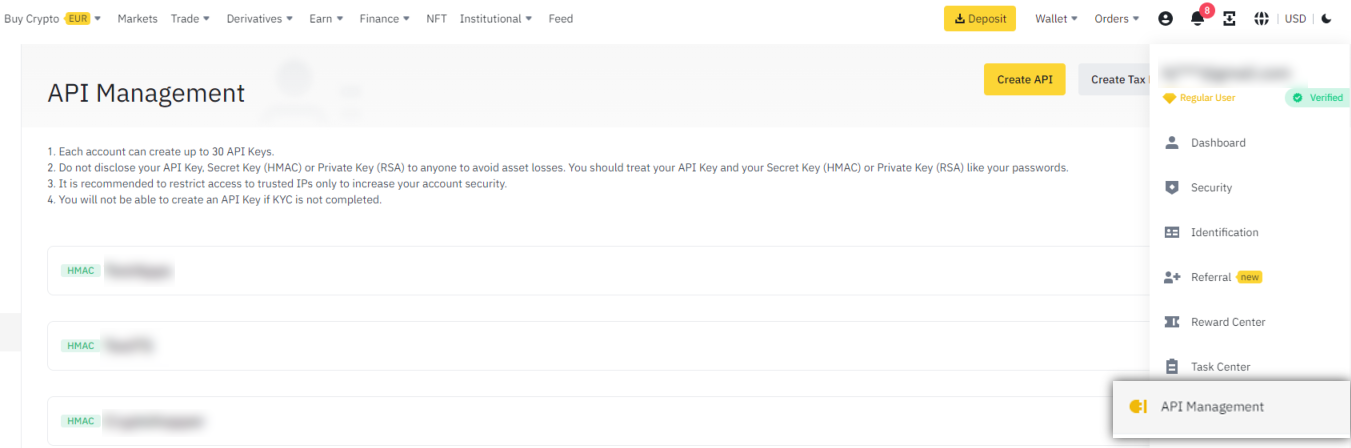
Gehe zu API Management Melde dich bei Binance an und navigiere zu API Management in deinen Kontoeinstellungen.
- Schritt drei
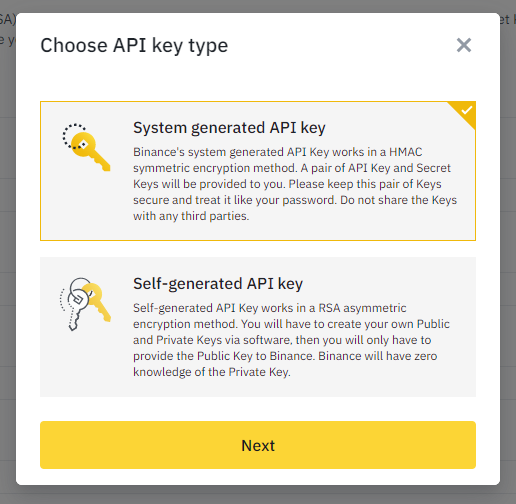
Erstelle einen neuen API-Schlüssel Klicke auf "Create API", wähle "System generated API Key" und klicke auf Next.
- Schritt vier
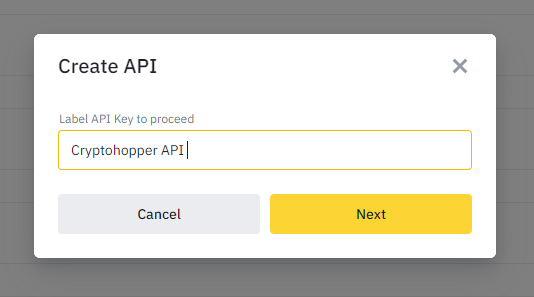
Benenne deinen API-Schlüssel Gib dem Schlüssel einen erkennbaren Namen, zum Beispiel "Cryptohopper API".
- Schritt fünf
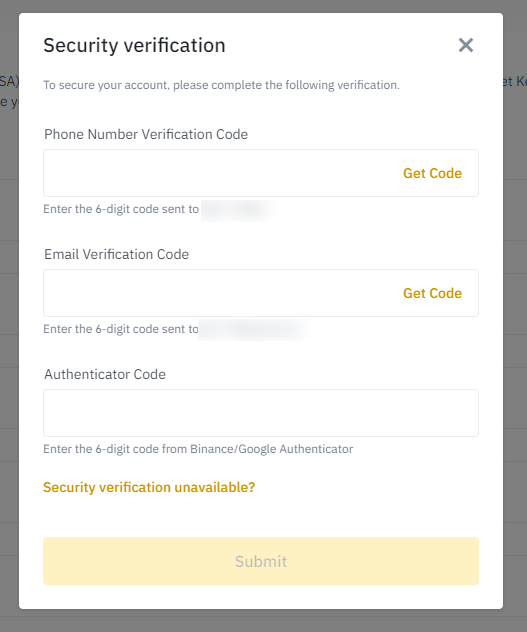
Schließe die Verifizierung ab Ziehe das Puzzleteil, um die Sicherheitsprüfung abzuschließen. Bestätige dann mit deiner Telefonnummer, E-Mail-Adresse und Authentifizierungscode.
- Schritt sechs
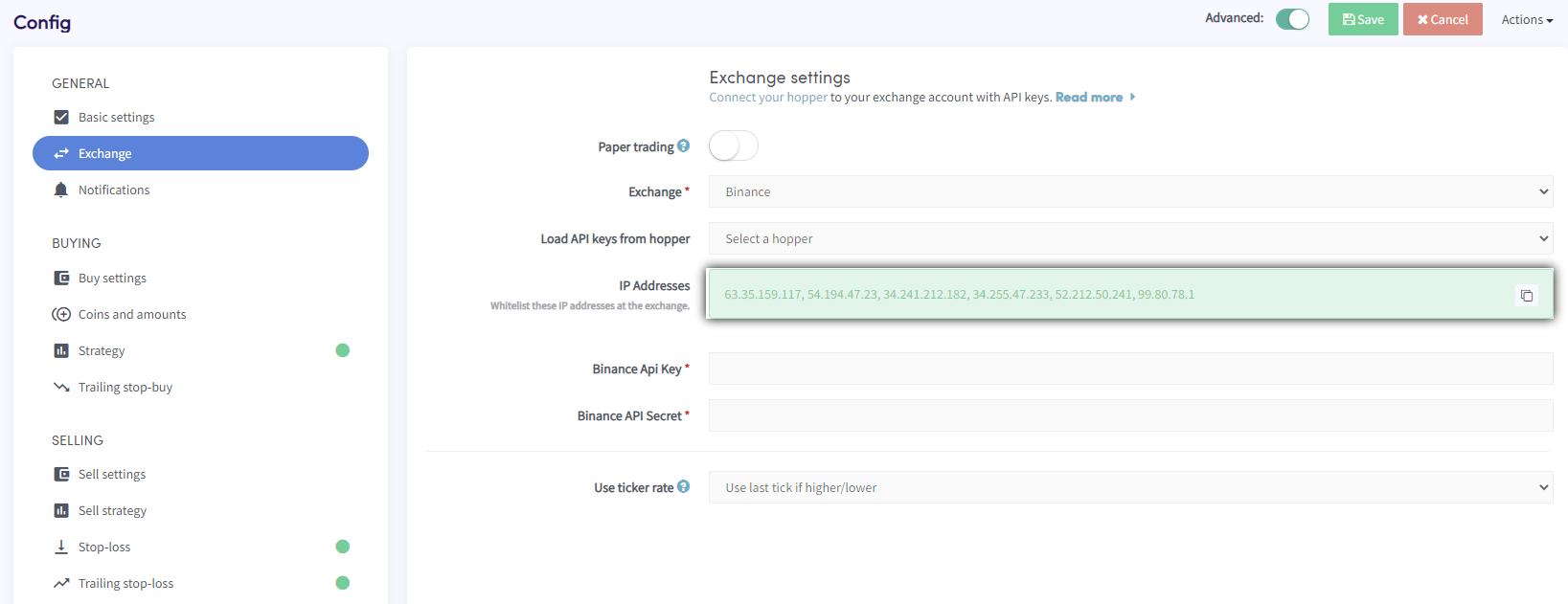
Kopiere die IP-Adressen von Cryptohopper Dein API-Schlüssel wurde erstellt, aber Trading ist noch nicht aktiviert. Zur Sicherheit musst du die Server-IP-Adressen von Cryptohopper auf Binance auf eine Whitelist setzen. Gehe in Cryptohopper zu deiner Baseconfig ? Börse ? Binance, klicke auf "Generate IP Addresses" und kopiere sie.
- Schritt sieben
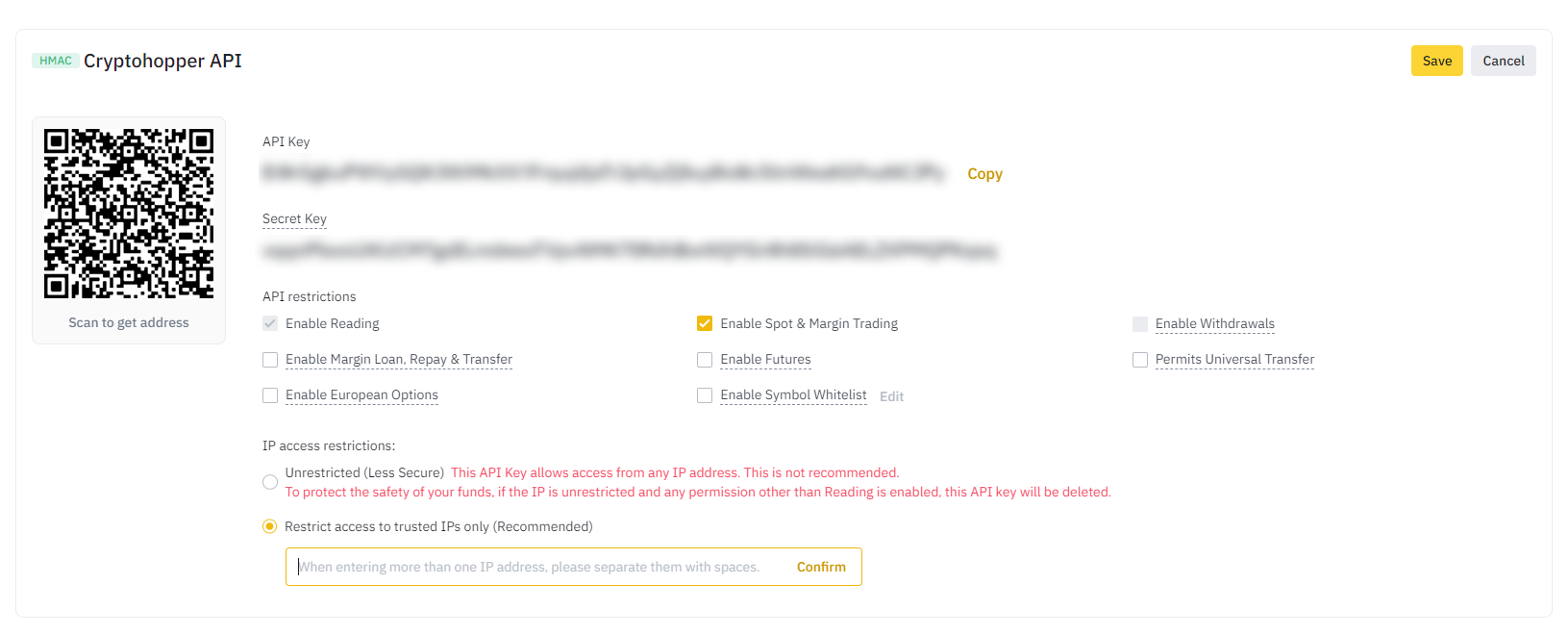
Setze die IP-Adressen auf Binance auf eine Whitelist Zurück in Binance, füge die IP-Adressen in das Feld "Restrict access to trusted IPs Only" ein. Klicke dann auf Edit und aktiviere "Enable Spot & Margin Trading". Aktiviere nicht Withdrawal oder Universal Transfer-Rechte. Speichere noch nicht — es gibt noch einen weiteren Schritt.
- Schritt acht
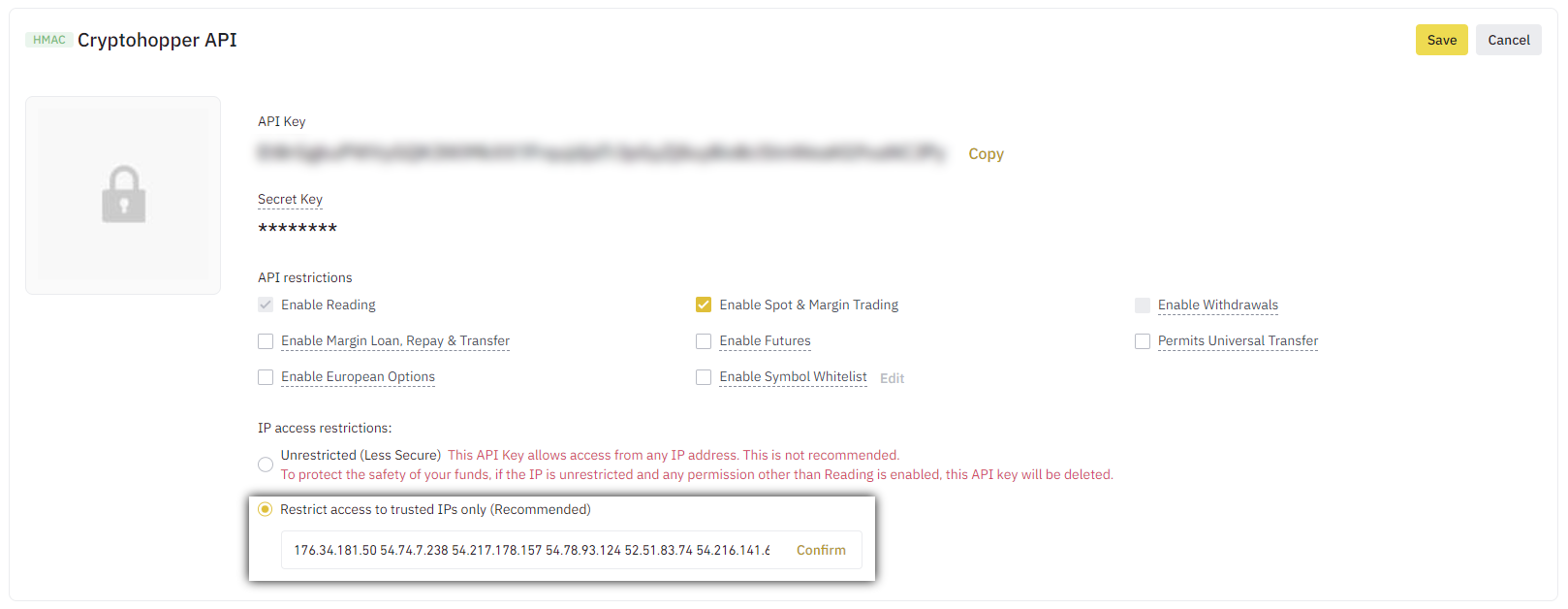
Gib deine API-Schlüssel in Cryptohopper ein Kopiere den API-Schlüssel und das Secret von Binance und füge sie in Cryptohopper ein. Speichere auf beiden Seiten. Nach einigen Momenten wird dein Guthaben angezeigt.
Leveraged Tokens
Auf Binance kannst du Leveraged Tokens traden, aber du musst zuerst einen kurzen Fragebogen über die damit verbundenen Risiken ausfüllen. Nach Abschluss des Fragebogens können diese Tokens wie normale Tokens gehandelt werden.
Börsen-Guthaben kann nicht angezeigt werden
Wenn du dein Börsen-Guthaben nicht sehen kannst, können mehrere Probleme verhindern, dass dein Bot mit deiner Börse synchronisiert. Eine häufige Ursache ist, dass "Auto-Ausfüllen" in deinem Browser aktiviert ist. Um dies zu beheben, kannst du versuchen, Auto-Ausfüllen zu deaktivieren, den Inkognito-Modus zu verwenden, einen anderen Browser zu verwenden oder deinen Passwort-Manager zu deaktivieren. Weitere Informationen findest du in unserem Cryptohopper Academy-Video zu diesem Thema oder in unserem Fehlersuche-Artikel.
Dust-Positionen in BNB umwandeln
Wenn du Binance verwendest, empfehlen wir, die Einstellung "convert dust to BNB" anstelle des Walletscrubbers zu verwenden. Dust-Positionen sind Positionen, die zu klein sind, um auf der Börse gehandelt zu werden.
Binance Mindest-Trade-Beträge
Klicke hier, um die Mindest-Trade-Beträge auf Binance zu sehen.
Binance-Status
Wenn du Probleme beim Trading auf Binance hast, kannst du den aktuellen Börsen-Status überprüfen, indem du hier klickst.