How to connect to Binance with API Keys
To trade automatically on Binance, with Cryptohopper, you need to create an API Key. This gives your trading bot permission to place orders and read your balance — nothing more.
Getting an error during setup? This can happen if your Binance account has no funds, your funds are in a funding account instead of a trading account, or your KYC verification isn't complete. Click "Continue without testing" and check your API Keys later in your Base config.
- Step one
Create a Binance account If you don't have one yet, go to Binance's and sign up. Make sure your account is verified (KYC).
- Step two
Go to API Management Log in to Binance and navigate to API Management in your account settings.
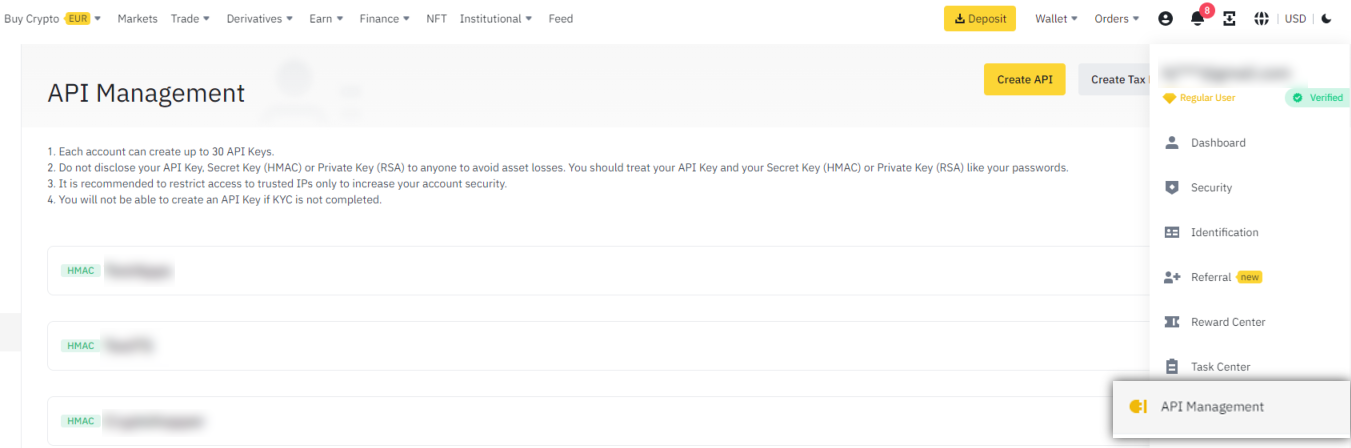
- Step three
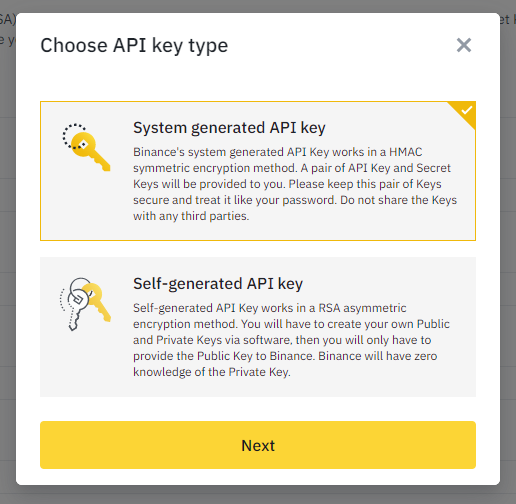
Create a new API Key Click "Create API", select "System generated API Key", and click Next.
- Step four
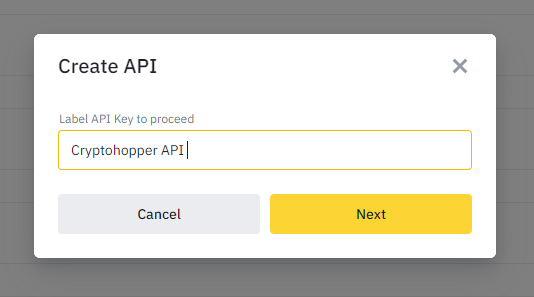
Name your API Key Give the key a recognizable name, for example "Cryptohopper API".
- Step five
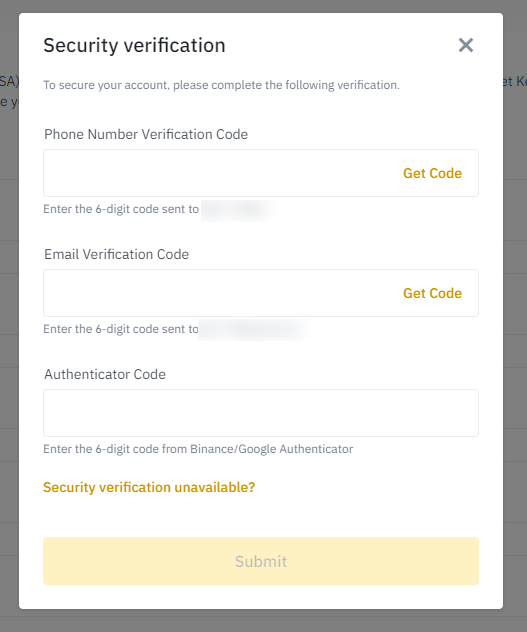
Complete verification Drag the puzzle piece to complete the security check. Then confirm using your phone number, email address, and authenticator code.
- Step six
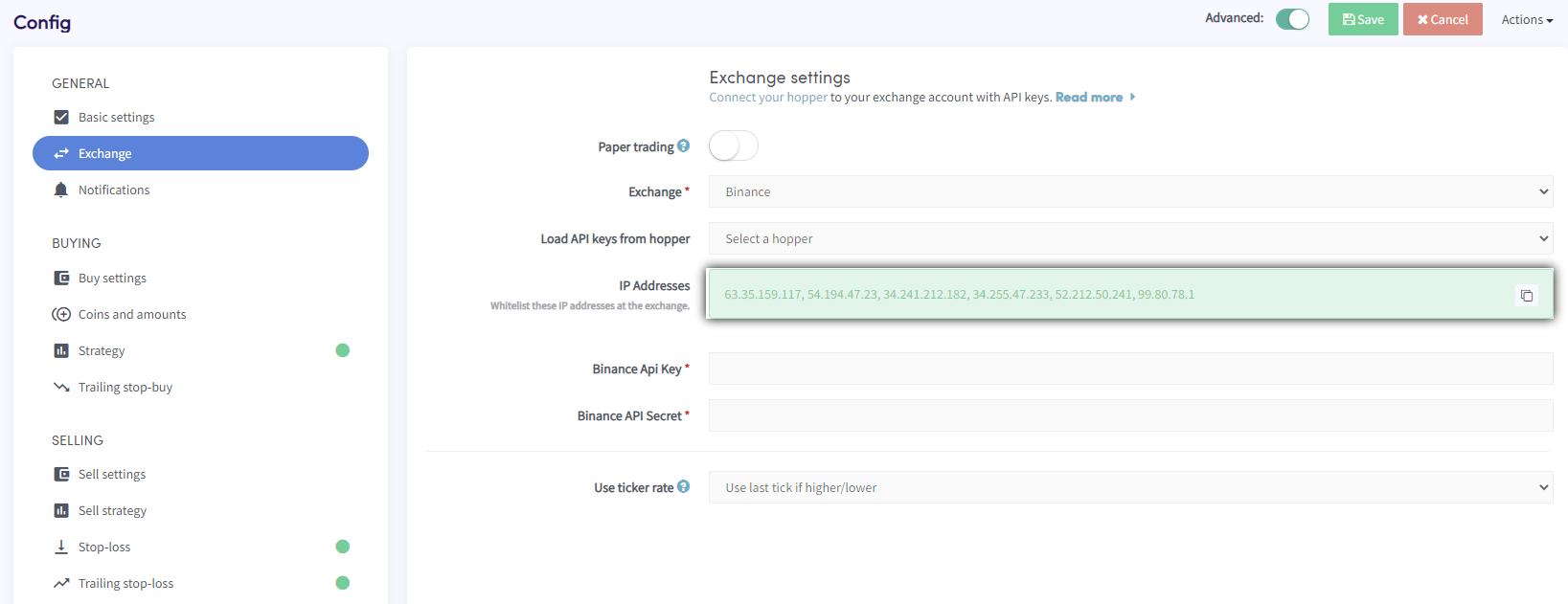
Copy Cryptohopper's IP addresses Your API Key has been created, but trading is not yet enabled. For security, you need to whitelist Cryptohopper's server IP addresses on Binance. In Cryptohopper, go to your Base config ? Exchange ? Binance, click "Generate IP Addresses", and copy them.
- Step seven
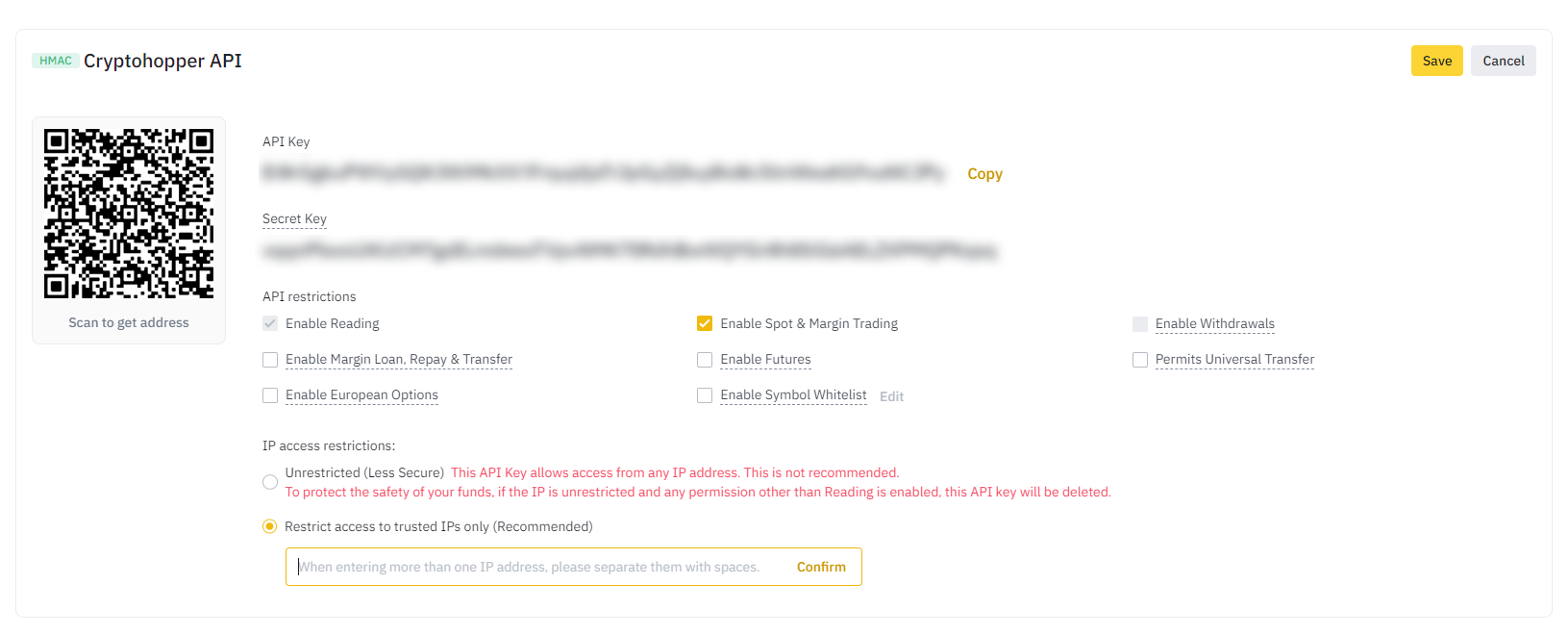
Whitelist the IP addresses on Binance Back in Binance, paste the IP addresses into the "Restrict access to trusted IPs Only" field. Then click Edit and enable "Enable Spot & Margin Trading". Do not enable Withdrawal or Universal Transfer rights. Don't save yet — there's one more step.
- Step eight
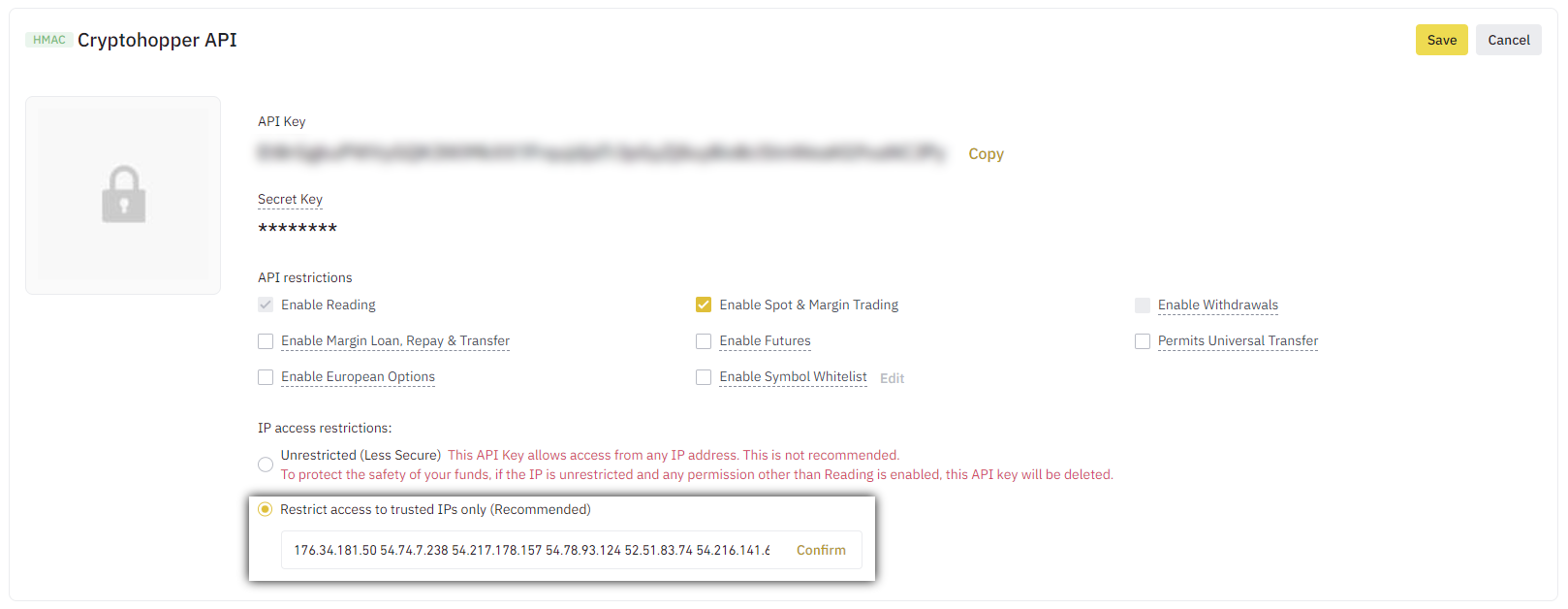
Enter your API Keys in Cryptohopper Copy the API Key and Secret from Binance and paste them into Cryptohopper. Save on both sides. After a few moments, your balance will appear.
Leveraged tokens
On Binance, you can trade leveraged tokens, but you must first complete a short questionnaire about the risks involved. After completing the questionnaire, these tokens can be traded like regular tokens.
Unable to see exchange balance
If you are unable to see your exchange balance, there may be a few issues preventing your bot from synchronizing with your exchange. One common cause is "auto-fill" being enabled in your browser. To fix this, you can try disabling auto-fill, using incognito mode, using a different browser, or disabling your password manager. For more information, you can watch our Cryptohopper Academy video on this subject or check our troubleshooting article.
Converting dust positions to BNB
When using Binance, we recommend using the "convert dust to BNB" setting instead of the Wallet Scrubber. Dust positions are positions that are too small to trade on the exchange.
Binance minimum trade amounts
Click here to see the minimum trade amounts on Binance.
Binance status
If you are experiencing issues with trading on Binance, you can check the current exchange status by clicking here.